
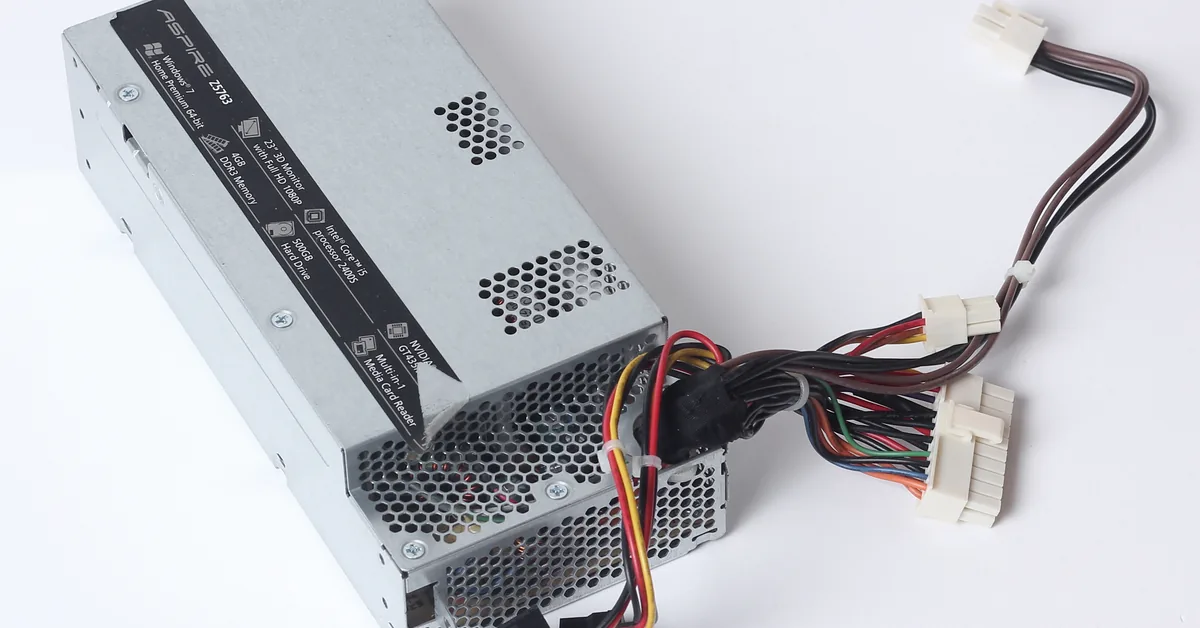
Picking a power supply usually comes down to one number: wattage. Buyers size the watts, check the price, and stop there. But two 750W power supplies can behave very differently once they are plugged into the wall. One wastes a fifth of every watt it draws as heat; the other converts nearly all of it into usable power. That difference shows up in your electricity use, the heat inside your case, and how hard the PSU fan has to work.
The problem is that most shoppers treat efficiency ratings as decoration — small bronze, silver, or gold badges on the box. They are not decoration. An 80 PLUS rating is a PSU certification that tells you, under standardized testing, what percentage of wall power actually reaches your components at light, medium, and full load. Ignore it and you may pay more over the life of the build than the sticker price difference between tiers. This guide explains PSU efficiency ratings from the ground up: what the 80 PLUS tiers mean, how efficiency works in practice, who actually benefits from higher tiers, and how to choose the right one for your build.
What Is a PSU Efficiency Rating?
Power supply efficiency is simply output power divided by input power, expressed as a percentage. If your PC’s components need 400W and the PSU draws 500W from the wall outlet, the unit is running at 80% efficiency — and the remaining 100W becomes heat inside the supply (Checked: 2026-10-06, source 2). Everything a PSU wastes comes out as thermal load, so efficiency is not just about your power bill; it is about cooling and longevity too.
A PSU efficiency rating is an independent certification that a unit meets minimum efficiency thresholds at defined load levels. The most recognized program is 80 PLUS, a voluntary certification launched in 2004 to promote efficient energy use in computer power supplies (Checked: 2026-10-06, source 3). To earn even the base 80 PLUS badge, a desktop PSU must exceed 80% efficiency at 20%, 50%, and 100% of its rated load, with a power factor of 0.9 or greater at full load (Checked: 2026-10-06, source 3). Higher tiers — Bronze, Silver, Gold, Platinum, Titanium — demand progressively higher efficiency numbers at those same test points.
If you are still working out how many watts your build actually needs, start with our complete PSU sizing guide before weighing efficiency tiers — wattage and efficiency are separate decisions, and this article covers only the second one.
Key Features of 80 PLUS Certification
- Standardized load points: Except for Titanium, every 80 PLUS tier is measured at three fixed loads — 20%, 50%, and 100% of rated capacity — so badges can be compared apples to apples (Checked: 2026-10-06, source 3).
- Six tiers for 115V desktop units: 80 PLUS, Bronze, Silver, Gold, Platinum, and Titanium form the ladder, with each step requiring higher efficiency percentages at the test loads (Checked: 2026-10-06, source 3).
- Titanium adds a 10% load test: Titanium is the only desktop tier required to hit 90% efficiency at just 10% load, addressing the idle and low-power states where PCs spend most of their time (Checked: 2026-10-06, source 3).
- Power factor requirements: Higher tiers also require minimum power factor values (0.90 for Gold and below at 50% load; 0.95 for Platinum and Titanium), which relates to how cleanly the PSU draws current from the mains (Checked: 2026-10-06, source 1).
- 115V test conditions for the US market: The tier table most relevant to US buyers is the 115V internal non-redundant column, since US wall power is nominally 120V (Checked: 2026-10-06, source 3).
- Independent verification: Certification is administered through the 80 PLUS program (currently managed by CLEAResult), which publishes a list of certified models so buyers can verify a badge rather than taking marketing at face value (Checked: 2026-10-06, source 3).
How PSU Efficiency Works
- AC enters from the wall. Your outlet delivers alternating current at roughly 120V. PC components cannot use AC, so the PSU’s first job is conversion.
- Conversion creates losses. The PSU rectifies AC into DC and steps it down to the +12V, +5V, and +3.3V rails your components need. No conversion is perfect; switching transistors, transformers, and rectifiers all lose some energy as heat. Learn the full breakdown in What Is a PSU?
- Efficiency follows a curve, not a flat line. A PSU is most efficient near the middle of its range — typically around 50% load — and less efficient when nearly idle or pushed to its maximum. That is why 80 PLUS tests three load points instead of one (Checked: 2026-10-06, source 1).
- Wasted watts become heat. The gap between wall draw and component power is dissipated as heat inside the PSU enclosure. A 500W output at 80% efficiency means 625W from the wall and 125W of heat; at 90% efficiency the same 500W output draws about 556W and produces only ~56W of heat.
- Heat drives the fan and aging. More internal heat means the cooling fan spins faster (more noise) and internal components run hotter. All else being equal, high-efficiency PSUs have a head start on reliability because they generate less thermal stress (source 2).
The 80 PLUS Tier Table (115V Internal Non-Redundant)
These are the minimum required efficiencies per tier, verified against the published certification tables (Checked: 2026-10-06, sources 1 and 3):
| Tier | 20% load | 50% load | 100% load |
|---|---|---|---|
| 80 PLUS | 80% | 80% | 80% |
| 80 PLUS Bronze | 82% | 85% | 82% |
| 80 PLUS Silver | 85% | 88% | 85% |
| 80 PLUS Gold | 87% | 90% | 87% |
| 80 PLUS Platinum | 90% | 92% | 89% |
| 80 PLUS Titanium | 92% | 94% | 90% |
Titanium additionally requires 90% efficiency at 10% load (Checked: 2026-10-06, source 3).
In practical terms, the jump from Bronze to Gold on a 650W unit running a 325W gaming load means roughly 25 fewer watts of waste heat at any given moment — the difference between a PSU fan that stays quiet and one that ramps up.
Efficiency Use Cases: Who Benefits Most?
- High-wattage gaming rigs: A build pulling 500–700W from the wall for hours of gaming multiplies every efficiency point into real kilowatt-hours. Gold or Platinum pays back fastest here.
- 24/7 systems: Home servers, NAS boxes, and always-on workstations run thousands of hours a year. Even a few percentage points of efficiency compound into meaningful savings and lower ambient heat in the room.
- Small form factor builds: In compact cases with limited airflow, every watt of waste heat matters. A more efficient PSU dumps less heat into the case, easing the job of your case fans and CPU cooler.
- Silent PC builders: Higher efficiency means less heat to exhaust, so the fan can spin slower or stay off longer. If low noise is a goal, efficiency is one of the cheapest ways to buy it — see also our look at whether a fanless PSU is worth it.
- Budget builds with modest loads: A basic office PC drawing 150W gains little from Titanium over Bronze. Here, a reputable Bronze unit is usually the sensible ceiling — efficiency has diminishing returns at low wattages.
Benefits of a More Efficient Power Supply
Lower electricity consumption
The most direct benefit: less wall power for the same component power. Over a PSU’s typical multi-year lifespan, a Gold unit can draw measurably less energy than a Bronze unit delivering identical output. The size of the benefit scales with your load and how many hours the PC runs.
Less heat inside your case
Wasted watts become heat, and heat is the enemy of every component. A more efficient PSU exhausts less hot air into your case, which helps keep CPU and GPU temperatures in check and reduces the workload on your case cooling.
Quieter operation
PSU fans respond to internal temperature. Because efficient units generate less heat, their fans spin slower under the same load — and many higher-tier designs stay in passive or semi-passive mode longer. Noise-conscious builders should treat the efficiency tier as part of the acoustic equation.
Longer component life
Heat accelerates the aging of capacitors and other internal parts. Lower thermal stress does not guarantee a longer warranty on its own, but it is one of the physical reasons higher-tier units tend to be built — and rated — for longer service.
Better build quality signals
Achieving Gold, Platinum, or Titanium efficiency requires better topologies, higher-grade components, and tighter engineering. The badge is therefore a rough proxy for overall design quality. It is not a guarantee — always check professional evaluations — but it is a useful first filter when comparing units.
Choosing the Right Efficiency Tier
- Build power draw: Size your wattage first with the PSU calculator, then pick a tier. High-draw gaming and workstation builds gain the most from Gold and above; low-draw builds gain the least.
- Electricity cost sensitivity: If you pay high per-kWh rates or the PC runs many hours daily, each efficiency point is worth more. For a machine used an hour a day, the math favors cheaper tiers.
- Noise and heat priorities: Silent builds and small cases reward higher efficiency directly, since less waste heat means slower fans and cooler interiors.
- Warranty signals: Higher-tier units often ship with longer warranties, which reflects the manufacturer’s confidence in the design. Treat a long warranty as supporting evidence, not proof.
- Certification alternatives: Cybenetics runs independent ETA (efficiency) and LAMBDA (noise) certification programs that test across thousands of load combinations rather than three fixed points, and also measure standby power and noise — factors 80 PLUS does not certify (source 4). An ETA rating on the box is a credible complement to 80 PLUS, not a replacement.
- Verify the badge: Misleading “80 Plus”-style claims exist, including unofficial names like “85 Plus” or “90 Plus,” which are not real certifications (Checked: 2026-10-06, source 3). Check the model against the program’s published certified list before buying.
- Don’t overbuy the tier: For a 300W office build, paying a large premium to jump from Gold to Titanium buys single-digit watt savings. Match the tier to the load, not to the badge’s prestige.
PSU Maintenance Checklist
- [ ] Keep intake vents and filters clear of dust so the fan can cool efficiently
- [ ] Verify the PSU fan spins freely and isn’t obstructed by cables
- [ ] Check that the unit’s efficiency badge matches the certified model list, not just the box art
- [ ] Confirm cables are fully seated; loose connections increase resistance and heat
- [ ] Ensure the PSU has breathing room — don’t choke its intake against a carpet or wall
- [ ] Revisit wattage needs after major upgrades (new GPU/CPU) with the PSU calculator
- [ ] Listen for new fan noise or coil whine changes, which can signal aging components
Conclusion
PSU efficiency ratings distill a real engineering difference into a simple badge: how much of your wall power becomes computing power instead of heat. Bronze is a solid baseline, Gold is the sweet spot for most gaming builds, and Platinum or Titanium make sense when wattage is high, the PC runs constantly, or silence matters. Size your watts first, then choose the tier that fits your load, your power costs, and your noise tolerance. To get the wattage side right, run your parts through our PSU calculator before you shop.
Frequently Asked Questions
- What does 80 PLUS Gold mean on a power supply?
It means the unit is certified to reach at least 87% efficiency at 20% and 100% load, and at least 90% at 50% load, when tested at 115V (Checked: 2026-10-06, source 3). In practice, a Gold unit wastes noticeably less power as heat than a Bronze unit at the same wattage. - Is 80 PLUS Bronze good enough for a gaming PC?
Yes, for most mid-range builds. Bronze guarantees 82–85% efficiency at the tested load points (Checked: 2026-10-06, source 3). Gold is worth considering for high-wattage rigs or PCs that run many hours a day, where the efficiency gap pays back faster. - What’s the difference between 80 PLUS Gold and Platinum?
Platinum requires 90% at 20% load, 92% at 50% load, and 89% at 100% load, versus Gold’s 87/90/87 (Checked: 2026-10-06, source 3). The gap is a few percentage points — meaningful for high-draw or always-on systems, marginal for light-use PCs. - Does a higher efficiency rating mean a better PSU overall?
Not automatically. Efficiency measures conversion losses, not voltage regulation, ripple, protection circuits, or build quality. Higher tiers correlate with better engineering, but always check professional evaluations of the specific model before buying. - What is Cybenetics ETA certification?
Cybenetics ETA is an independent efficiency certification that tests PSUs across thousands of load combinations and factors in power factor, standby power, and 5VSB rail efficiency. Its companion LAMBDA program certifies noise levels (source 4). It complements 80 PLUS with broader, more granular data. - Do efficiency ratings matter at idle or low load?
Yes, and this is a gap in the basic 80 PLUS program: only Titanium is tested at 10% load (90% required), while lower tiers are tested from 20% upward (Checked: 2026-10-06, source 3). If your PC idles often, Titanium’s low-load requirement — or a Cybenetics ETA report — is more informative than a Bronze or Gold badge.
