
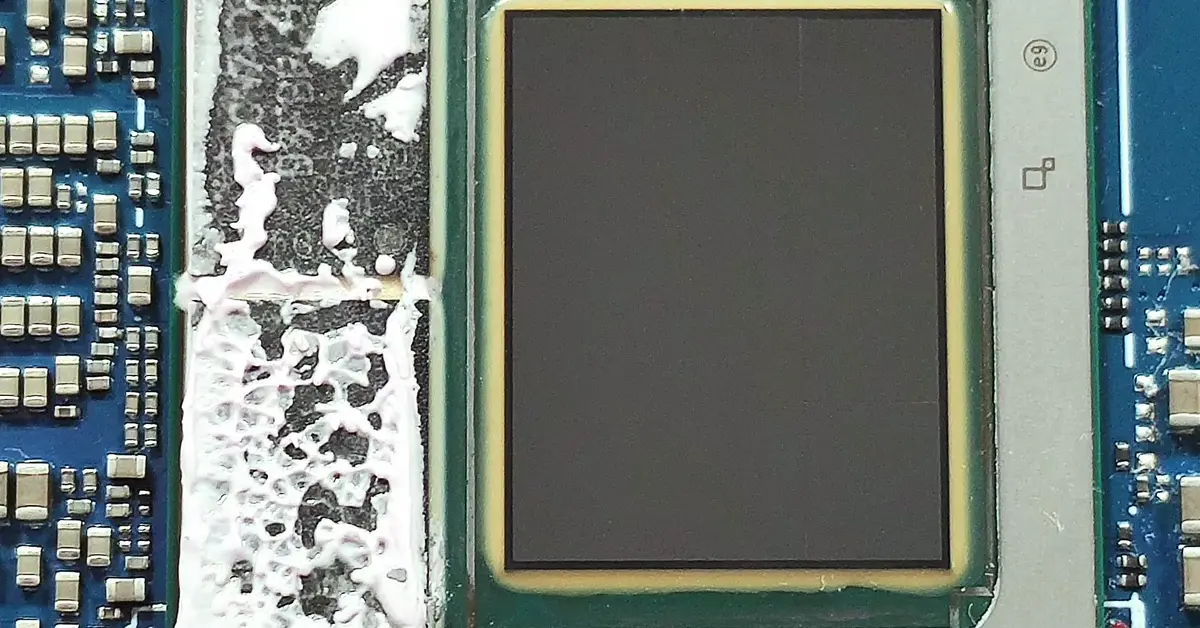
Laptop listings in 2026 are covered in “AI PC” badges and TOPS numbers, and desktop parts are starting to join in. This AI PC NPU explained guide cuts through the labels in plain English: what an NPU is, what the numbers mean, which Windows features really need one, and who should — and should not pay extra for it.
What is an NPU?
An NPU (neural processing unit) is a small processor built into a modern CPU package, next to the normal CPU cores and the graphics cores. It is designed for one kind of job: running AI models on your own machine. That running step is called inference — the model has already been trained elsewhere, and inference is your PC using it to blur a background, transcribe speech, or spot a face in a photo.
A CPU can do that work, and a GPU can do it faster, but an NPU does it using very little power — which matters most in a laptop, where every watt comes out of your battery. You do not buy an NPU on its own; it comes inside processors such as Intel Core Ultra, AMD Ryzen AI, and Qualcomm Snapdragon X chips.
Plain-English version: Think of your PC as a small workshop. The CPU is the general manager who can do any job. The GPU is a big team that is very fast at jobs that split into thousands of small pieces. The NPU is a specialist helper hired for one repeat job — sorting photos, cleaning up call audio, adding captions, who does that job quietly all day without tiring the rest of the team or draining the battery.
What does TOPS mean in plain English?
TOPS stands for trillions of operations per second. It is a simple speed rating for AI math: higher means the chip can do more of those small calculations each second. The NPU TOPS meaning is simply “how fast is this AI helper, on paper” — nothing more specific than that.
Two cautions keep the number honest. First, TOPS is a peak rating, not a promise about how fast a real app will feel. Second, makers do not all measure it the same way, and some marketing adds the CPU, GPU, and NPU figures into a bigger “platform TOPS” total. For Windows features, only the NPU figure counts, that is the figure Microsoft uses for Copilot+.
What do “AI PC” and Copilot+ actually require?
These two labels are not the same, and mixing them up is how buyers overpay.
“AI PC” is a loose marketing label. There is no single official test for it, so a PC with a small NPU well below 40 TOPS can still be sold as an AI PC.
A Copilot+ PC is different. It is Microsoft’s defined class of Windows 11 PC. Per Microsoft, a consumer Copilot+ PC must have an NPU capable of at least 40 TOPS, at least 16GB of RAM, at least 256GB of SSD storage, and Windows 11 version 24H2 or newer. Only PCs that clear that bar get the Copilot+ features below. The full Copilot+ PC requirements are a hardware test, not a software update an older PC can download later.
Here is how current chip families compare, using official NPU figures only:
| Processor Family | Official NPU Performance | Microsoft Copilot+ PC Eligibility |
|---|---|---|
| Qualcomm Snapdragon X Elite / X Plus (Laptops) | 45 TOPS | Yes — meets the NPU performance requirement |
| Intel Core Ultra 200V (Lunar Lake) (Laptops) | Up to 48 TOPS | Yes — meets the NPU performance requirement |
| AMD Ryzen AI 300 Series (Laptops) | Up to 50 TOPS | Yes — meets the NPU performance requirement |
| Intel Core Ultra 200S (Arrow Lake) (Desktops) | 13 TOPS | No — falls below the NPU performance requirement |
One warning: “up to” means the top chip in the family. Some lower Core Ultra 200V models are rated at 40 to 47 TOPS, so check the exact processor model, not just the family name.
What can an NPU actually do today?
On a Copilot+ PC, Microsoft lists these NPU-powered Windows features:
- Windows Studio Effects — background blur, better lighting, eye-contact correction, and clearer voice on video calls.
- Recall — a searchable record of things you have seen on your PC, so you can find a document or page by describing it.
- Live Captions with translation — captions for live or recorded audio in any app, with translation into English from more than 40 languages, on the device.
- Cocreator and Photos tools — image generation and editing help in Paint and Photos, such as turning a sketch and prompt into a picture.
- Smarter search and Click to Do — searching files and settings by description, plus on-screen shortcuts suggesting the next action.
These are useful, everyday features, and the NPU’s low power use is the point: captions and call effects can run for hours without heating up a thin laptop. Availability varies by device, region, language, and Windows update, per Microsoft, so a feature in an advert may arrive later on a specific model. Some creative and meeting apps can also use the NPU for noise removal and background effects, but support is app by app — check the app’s own requirements.
What does an NPU not do well?
An NPU is not the right tool for heavy AI work. Running a large language model locally — the kind of chat or coding assistant people run with tools like Ollama or LM Studio — needs raw speed for big models and plenty of memory. Those models live in system RAM or graphics memory, and in 2026 they run far better on a discrete GPU with plenty of VRAM (video memory on the graphics card).
An NPU handles small, always-on tasks efficiently; it does not turn a thin laptop into a local AI workstation, and a bigger TOPS number does not fix a lack of memory. If local AI models are your real goal, our guide to the hardware for local LLM use is the right next read — that is a GPU and RAM conversation, not an NPU one.
NPU vs GPU for AI work: which one matters?
The NPU vs GPU question has a simple split:
- For light, all-day tasks — call effects, captions, quick photo fixes — the NPU wins on efficiency. It sips power and leaves the CPU and GPU free.
- For heavy tasks — large local models, high-quality image generation, AI video work — the GPU wins by a wide margin. A modern discrete graphics card does far more AI math per second than a 40 to 50 TOPS NPU, and has its own fast memory.
That is why the NPU story is mostly about laptops without a strong graphics card. If your PC already has a discrete GPU, most serious AI software will use it first.
Why is this mostly a laptop story in 2026?
Desktop builders can relax: in 2026, strong NPUs are mainly a laptop and mini-PC story.
Intel’s desktop Core Ultra 200S (Arrow Lake) chips do include an NPU, but at 13 TOPS it sits far below Microsoft’s 40 TOPS bar, so those desktops are not Copilot+ PCs. The 40-plus TOPS NPUs live in laptop chips — Snapdragon X, Core Ultra 200V, and Ryzen AI 300 — and in mini-PCs that reuse those laptop chips. Most gaming desktop builds have a small NPU or none at all, and lose nothing important: a discrete GPU covers heavy AI work, and a desktop has no battery to protect. Reports of future desktop chips with much stronger NPUs are unconfirmed — do not delay a build or pay extra based on them.
How do I check? Does my PC have an NPU?
Wondering “does my PC have an NPU, and how strong is it?” work through these steps. Task Manager shows whether an NPU is present; the TOPS rating itself comes from the chip maker, so the last steps matter.
- Press Ctrl + Shift + Esc to open Task Manager.
- Select the Performance tab on the left.
- Look down the list of parts (CPU, Memory, Disk, GPU). If an NPU entry appears, your PC has one; select it to see its name and current use. If there is no NPU entry, your PC most likely has no NPU, or its driver is not installed.
- To find your exact processor, open Settings > System > About and note the processor name, for example, “Intel Core Ultra 7 258V” or “AMD Ryzen AI 9 HX 370.”
- Search that exact processor name on the maker’s official site — Intel, AMD, or Qualcomm — and find its NPU TOPS figure.
- Compare the figure with 40 TOPS. At 40 or above, the chip clears the NPU part of the Copilot+ test, provided the PC also has at least 16GB of RAM, 256GB of storage, and current Windows 11.
Normal NPU use sits near zero until an app calls on it, so an idle graph is not a fault.
So, should you care about an NPU in 2026?
Best for laptop buyers who want Copilot+ features and long battery life. If you are buying a thin Windows laptop for work, school, and calls, and you want Recall, live translated captions, and Studio Effects, choose a model whose exact chip is rated at 40 TOPS or more. The NPU is a good tiebreaker between two similar laptops.
Best for meeting-heavy and accessibility-focused users. If captions, translation, or cleaner call audio would help you every day, the NPU earns its place — these are the features it was built for.
Safely ignorable for desktop gamers and builders with a discrete GPU. Your graphics card already does heavy AI work faster. Pick your CPU for cores, cache, price, and platform — not its NPU rating — and do not switch platforms just to gain an NPU.
Not worth paying extra for if the label is the only difference. Do not pay a premium for “AI PC” wording alone, for an NPU below 40 TOPS sold as future-proofing, or for TOPS totals that add the CPU and GPU together. If a seller cannot name the exact chip and its NPU-only figure, treat the AI claim as unproven.
Conclusion
A Neural Processing Unit (NPU) accelerates specific AI workloads, including live captions, video call effects, and intelligent search, while improving power efficiency. However, not every PC needs dedicated NPU hardware. Microsoft Copilot+ PCs require an NPU capable of at least 40 TOPS, alongside 16GB of RAM and 256GB of storage, plus other platform requirements. Laptop buyers seeking exclusive Copilot+ features should check these specifications, while desktop builders using discrete GPUs should prioritize their actual AI workloads over marketing labels. Before upgrading, identify your processor model and verify its official NPU performance. Compare NPU-only TOPS figures rather than combined CPU, GPU, and NPU performance when evaluating AI PC claims.
Frequently Asked Questions
What is an NPU in simple terms?
An NPU, or neural processing unit, is a small specialist chip inside a modern processor that runs AI tasks on your own PC. It handles jobs like background blur, captions, and photo fixes using very little power, which helps laptop battery life. The CPU manages everything, the GPU handles heavy graphics and AI work, and the NPU quietly covers the small, always-on AI jobs.
Is 40 TOPS enough, and what does the number really tell me?
Forty TOPS is Microsoft’s entry bar for Copilot+ PCs, so a chip at that level unlocks those Windows features. The number is a peak speed rating for AI math, not a measure of how fast apps will feel. Use it to check Copilot+ eligibility and to compare chips in the same family, not as a general performance score for the whole PC.
Can I add an NPU to my existing desktop PC?
Not in any practical, mainstream way in 2026. The NPU is built into the processor, so gaining one means changing the CPU — and on Intel that also means a newer motherboard platform. Desktop add-in AI cards exist for specialist work, but they do not make a PC a Copilot+ PC. For most builders, a discrete GPU is the better AI upgrade.
Do I need an NPU to use Copilot or ChatGPT?
No. The Copilot assistant in Windows and chat tools in your browser do their heavy work in the cloud, so they run on PCs with no NPU at all. An NPU is only required for the Copilot+ PC features that run on the device itself, such as Recall, Live Captions with translation, and the full Windows Studio Effects, on a PC that meets Microsoft’s hardware bar.
Will games run faster on a PC with an NPU?
No, not in any direct way. Games use your CPU and graphics card, and an NPU does not add frames per second. Some graphics features use AI on the GPU itself, such as upscaling, but that work stays on the GPU. Buy for the graphics card, CPU, and cooling your games need, and treat any NPU in the chip as a bonus for calls and captions.
Should I wait for stronger desktop NPUs before building?
For a gaming or general desktop build, no. Today’s desktop NPUs sit well below the Copilot+ bar, your discrete GPU already covers heavy AI work, and future stronger desktop NPUs are unconfirmed. Build for your current needs and budget. If Copilot+ features matter most to you right now, they are available today in laptops with 40-plus TOPS chips.
