
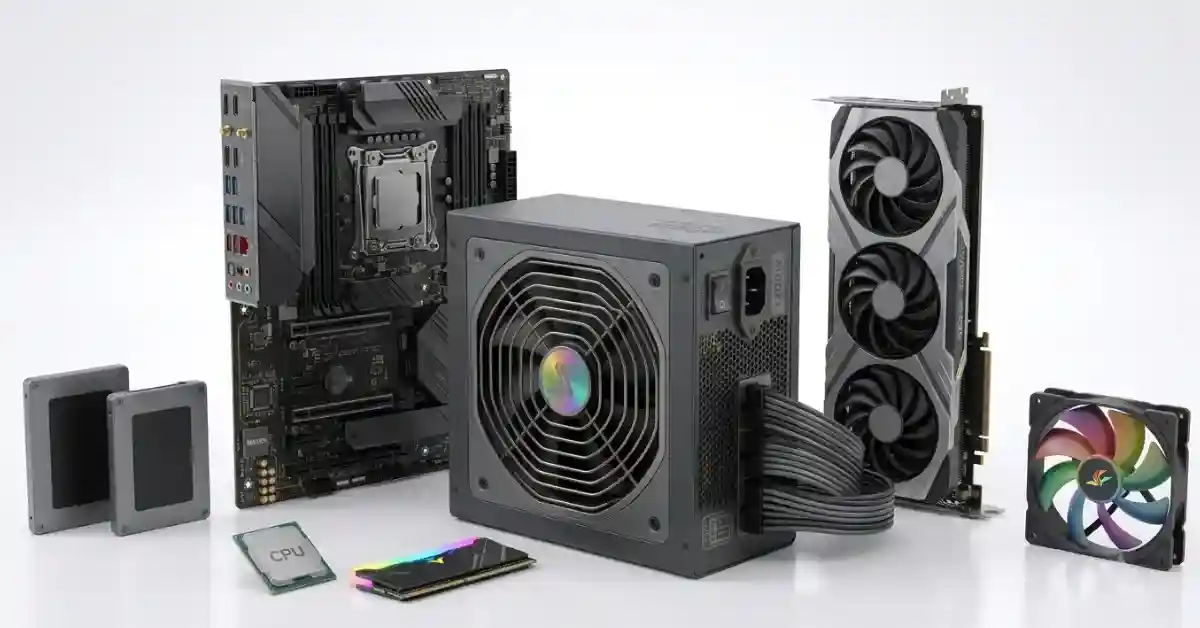
Most gaming PCs need 550W–850W, depending on the CPU and GPU. Budget systems usually work well with 550W, mid-range gaming PCs need 650W–750W, and high-end GPUs may require 850W–1200W. To calculate your exact PSU requirement, add your CPU and GPU power draw, include 100–200W for other components, then add 20–30% headroom.
| Build type | Recommended PSU wattage |
|---|---|
| Office/everyday PC (no dedicated GPU) | 400–450W |
| Budget gaming (RTX 4060, RX 7600) | 550–650W |
| Mid-range gaming (RTX 5070, RX 9070) | 650–750W |
| High-end gaming (RTX 5080, RX 9070 XT) | 850–1000W |
| Enthusiast/flagship (RTX 5090) | 1000–1200W |
| Workstation/AI rendering | 1200–1600W |
The simplest way to check your own build: add up your GPU’s rated power and CPU’s rated power, add 150–200W for the motherboard, RAM, drives, and fans, then add 20–30% headroom for safety and future upgrades. Round up to the nearest common PSU size (450, 550, 650, 750, 850, 1000, 1200W). A full calculator, comparison tables, and real build examples are below.
Why PSU Wattage Actually Matters
A power supply’s job is simple: convert the AC power from your wall outlet into the DC voltages your PC’s components need, and deliver enough of it, at the right moment, without dropping. Get the wattage wrong and you don’t just risk your PC shutting off mid-game. You risk:
- Random reboots or shutdowns when the GPU or CPU hits a power spike the PSU can’t supply
- Voltage instability that can corrupt data or, in rare cases, damage components
- Reduced PSU lifespan from running constantly near maximum capacity
- Inability to upgrade your GPU or CPU later without a full PSU swap
Undersizing is the classic beginner mistake, but oversizing has a cost too: a PSU running at very low load (under 20% of its rated capacity) is less efficient and, on cheaper units, can be noisier or less stable than one running in its efficiency sweet spot.
PSU Wattage Calculator: The Manual Method
You don’t need special software to size a PSU correctly. Add up the numbers below for your actual parts list.
Step 1: Add up your core components
| Component | Typical power draw |
|---|---|
| Entry CPU (Ryzen 5 / Core i5 class) | 65–125W |
| Mid-range CPU (Ryzen 7 / Core i7 class) | 105–170W |
| High-end CPU (Ryzen 9 9950X, Core Ultra 9 285K) | 170–250W |
| Entry GPU (RTX 4060, RX 7600) | 115–200W |
| Mid-range GPU (RTX 5070, RX 9070) | 220–300W |
| High-end GPU (RTX 5080, RX 9070 XT) | 300–360W |
| Flagship GPU (RTX 5090) | 500–575W |
| Motherboard | 50–100W |
| RAM (per stick) | 5–10W |
| SATA SSD/HDD | 5–10W each |
| NVMe SSD | 5–8W each |
| Case fans (each) | 2–5W |
| AIO liquid cooler pump | 5–15W |
| RGB lighting/peripherals via USB | 5–15W |
Step 2: Do the math
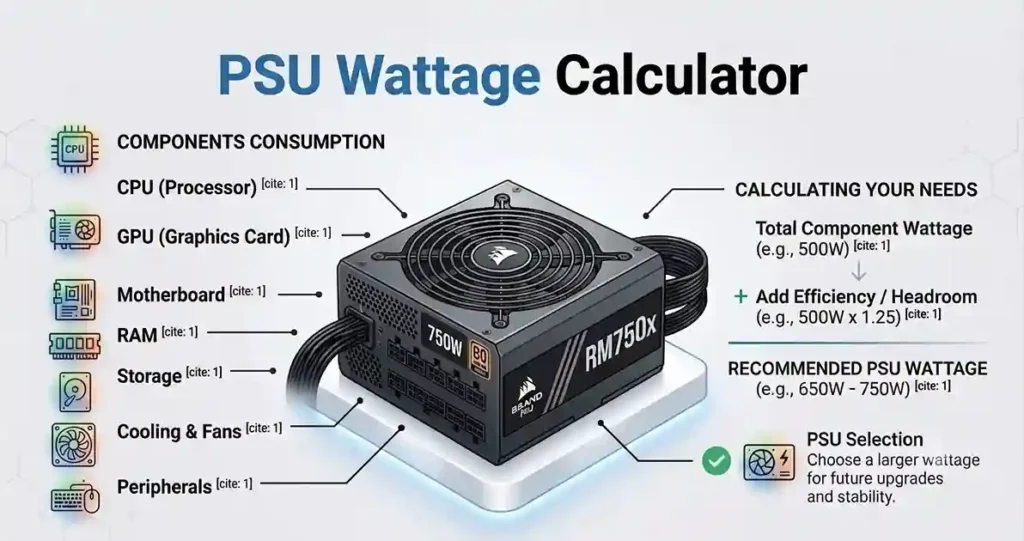
Total wattage = CPU + GPU + everything else, then add 20–30% headroom.
Example: a 250W CPU + 360W GPU + 100W for the rest of the system = 710W baseline. Add 25% headroom: 710 × 1.25 = 887W. Round up to an 850W or 1000W unit.
Step 3: Round up to a standard PSU size
PSUs are sold in fixed increments, not custom wattages. Round your calculated number up to the nearest of these: 450W, 550W, 650W, 750W, 850W, 1000W, 1200W, 1600W.
Why the 20–30% headroom matters
This isn’t padding for its own sake. Two things make it necessary:
- Transient power spikes. Modern GPUs, especially flagship cards like the RTX 5090, briefly draw far more power than their rated figure for a few milliseconds during load changes. Independent lab testing has recorded RTX 5090 spikes well above 900W for under a millisecond, even though the card’s rated board power is 575W. A PSU with headroom rides these out without tripping its protection circuits.
- Efficiency sweet spot. Power supplies run most efficiently between roughly 40% and 70% of their rated load. A PSU that’s constantly maxed out at 95%+ runs hotter, works harder, and wears out faster.
Step-by-Step PSU Sizing Guide
Follow this order every time you’re speccing a new build or checking an existing one.
1. Confirm your GPU’s rated board power. Check the manufacturer’s product page, not just a rumor site. This single number usually drives your whole calculation, since the GPU is almost always the biggest power consumer in a gaming PC. You can verify GPU power requirements through NVIDIA’s official GPU specifications.
2. Confirm your CPU’s power draw at boost, not base. Look for “PPT” (AMD) or “PL2/Turbo Power” (Intel) rather than the advertised TDP. TDP numbers are frequently far lower than what the chip actually pulls under sustained load.
3. Add the rest of the system. Motherboard, RAM, storage, fans, and any AIO cooler or RGB controllers. For a typical build this lands between 100–200W.
4. Add 20–30% headroom. Use 20% for a stable, non-overclocked build. Use 30% if you plan to overclock, run a high-end GPU with transient spikes, or want room for a future upgrade.
5. Match to a standard PSU wattage. Round up, don’t round down.
6. Check the efficiency rating. Aim for 80 Plus Bronze at minimum; Gold is the sweet spot for most builds If you need help choosing a model, read our Best Gaming PSU.
7. Check connector compatibility. If you’re running an RTX 40/50-series or newer AMD flagship GPU, confirm the PSU has a native 12V-2×6 (12VHPWR) connector or enough 8-pin PCIe connectors, and that it’s ATX 3.0/3.1-rated for transient spike handling.
8. Confirm physical fit. ATX PSUs need roughly 140–200mm of depth in your case; SFX and SFX-L units are shorter for small-form-factor builds.
GPU Power Consumption Table
The graphics card is the single biggest factor in PSU sizing, and it isn’t close. Here’s what current GPUs actually draw and what PSU wattage each one calls for. Learn more about graphics card power requirements in our GPU Power Consumption.
| GPU | Typical board power | Recommended minimum PSU |
|---|---|---|
| RTX 5090 | ~575W (spikes near 900W) | 1000W (1200W+ for OC/AI workloads) |
| RTX 5080 | ~360W | 850W (1000W for headroom) |
| RTX 5070 Ti | ~300W | 750–850W |
| RTX 5070 | ~250W | 650–750W |
| RTX 4060 | ~115–200W | 550W |
| RX 9070 XT | ~304W | 750–850W |
| RX 9070 | ~220W | 650–750W |
| RX 7800 XT | ~260W | 650–750W |
| RX 7600 | ~165–200W | 550W |
Featured-snippet answer: The RTX 5090 needs at least a 1000W power supply; the RTX 5080 needs 850W; mid-range cards like the RTX 5070 or RX 9070 need 650–750W.
CPU Power Consumption Table (Current Generation)
CPUs draw less than GPUs in most gaming systems, but under sustained multi-threaded workloads (rendering, compiling, streaming while gaming) the gap narrows fast.
| CPU | Base/rated power | Boost/peak power |
|---|---|---|
| Ryzen 9 9950X | 170W TDP | up to 230W (PPT) |
| Core Ultra 9 285K | 125W base | up to 250W (PL2) |
| Ryzen 7 9700X | 65–88W | up to 120W |
| Core Ultra 7 265K | 65W base | up to 159W |
| Ryzen 5 7600 | 65W | up to 88W |
| Core i5 mainstream | 65W base | up to 121W |
Always size the PSU around the boost number, not the base TDP. Motherboard manufacturers commonly override the “stock” power limits to let a CPU run higher for longer, so a chip rated at 125W TDP can pull 250W in real usage on a default motherboard configuration.
PSU Efficiency: What 80 Plus Ratings Actually Mean
Efficiency measures how much of the power your PSU pulls from the wall actually reaches your components, versus how much is lost as heat. A more efficient PSU costs more upfront but runs cooler, quieter, and cheaper to operate over time.
| Certification | Efficiency at 20% load | Efficiency at 50% load | Efficiency at 100% load |
|---|---|---|---|
| 80 Plus (basic) | 80% | 80% | 80% |
| 80 Plus Bronze | 82% | 85% | 82% |
| 80 Plus Silver | 85% | 88% | 85% |
| 80 Plus Gold | 87% | 90% | 87% |
| 80 Plus Platinum | 90% | 92% | 89% |
| 80 Plus Titanium | 90% (at 10%) / 94% | 96% | 91% |
Featured-snippet answer: 80 Plus Gold is the recommended minimum efficiency rating for most gaming and workstation PCs in 2026. It balances upfront cost against real electricity savings and heat output, and it’s now widely available at prices close to Bronze.
Practical guidance by build:
- Budget builds under $600: 80 Plus Bronze is fine. The system rarely runs under sustained heavy load.
- Mid-range gaming: 80 Plus Gold. This is the current mainstream standard.
- High-end builds: 80 Plus Gold or Platinum. The price premium is small relative to total build cost.
- 24/7 workstations or home servers: Platinum or Titanium. The efficiency gap compounds over years of continuous operation.
Comparison Table: PSU Wattage by Use Case
| Use case | Example components | Recommended PSU |
|---|---|---|
| Office/browsing PC | Integrated graphics, no dGPU | 400–450W |
| Budget 1080p gaming | Ryzen 5 7600, RTX 4060 | 550–600W |
| Mid-range 1440p gaming | Ryzen 7 9700X, RTX 5070 | 700–750W |
| High-end 1440p/4K gaming | Core Ultra 9 285K, RTX 5080 | 850–1000W |
| Enthusiast 4K gaming | Ryzen 9 9950X, RTX 5090 | 1000–1200W |
| Content creation/rendering | High-end CPU + GPU, sustained loads | 1000–1200W |
| AI/LLM workstation | RTX 5090, heavy sustained GPU load | 1200–1600W |
Real-World Build Examples
Actual math for four common builds, using the boost/peak power figures for each part.
Budget gaming build
- CPU: Ryzen 5 7600 (88W boost)
- GPU: RTX 4060 (115W)
- Rest of system: ~100W
- Subtotal: 303W → +25% headroom = 379W
- Recommended PSU: 550W (rounds up to the nearest standard size and leaves room for a future GPU upgrade)
Mid-range gaming build
- CPU: Ryzen 7 9700X (120W boost)
- GPU: RTX 5070 (250W)
- Rest of system: ~120W
- Subtotal: 490W → +25% headroom = 613W
- Recommended PSU: 650–750W
High-end gaming build
- CPU: Core Ultra 9 285K (250W peak)
- GPU: RTX 5080 (360W)
- Rest of system: ~130W
- Subtotal: 740W → +25% headroom = 925W
- Recommended PSU: 1000W
Enthusiast/flagship build
- CPU: Ryzen 9 9950X (230W PPT)
- GPU: RTX 5090 (575W, with brief spikes far higher)
- Rest of system: ~150W (multiple drives, AIO, RGB)
- Subtotal: 955W → +25% headroom = 1194W
- Recommended PSU: 1200W, ATX 3.1-certified for transient spike handling
Future Upgrades and Power Headroom
Buying “exactly enough” wattage for today’s parts list is the single most common regret builders report. A few practical rules:
- If you plan to upgrade your GPU within 2–3 years, buy one PSU tier above what your current build needs. Going from a 650W to an 850W unit costs relatively little compared to the cost of replacing the whole PSU later, along with every cable that’s already tucked into your case.
- If you overclock, or plan to, budget for the peak power draw, not the stock rating. Overclocked CPUs and GPUs can pull 15–30% more power than stock.
- If you’re adding storage or cooling later (extra drives, a bigger AIO, more fans), those add up faster than people expect. Ten case fans and an AIO pump can add 50–80W on their own.
- Headroom also means quieter operation. A PSU running well under its rated capacity keeps its fan speed low, which matters more than most builders expect once the rest of the system is already quiet.
Common Mistakes When Choosing PSU Wattage
- Sizing the PSU to the GPU’s TDP alone. The GPU is usually the biggest single draw, but CPU, drives, fans, and pumps add up. Skipping them can leave a build 100–150W short.
- Using base TDP instead of boost power for the CPU. As shown above, the gap between rated TDP and real boost draw can exceed 100W on high-end chips.
- Ignoring transient spikes on high-end GPUs. A PSU that’s “just enough” on paper can still trip its protection circuits during a millisecond-long spike, causing a reboot that looks like a random crash.
- Buying based on price per watt alone. A cheap, unbranded 850W unit is not the same as a quality 650W unit from a reputable manufacturer. Component quality, protections (OCP, OVP, OTP), and real-world efficiency vary enormously between budget and reputable brands, even at the same advertised wattage.
- Running a PSU at over 90% of its rated capacity long-term. This shortens lifespan and increases heat and noise. Leave headroom even if your math says you technically have “just enough.”
- Forgetting connector compatibility. A sufficiently high wattage doesn’t help if the PSU lacks a native 12V-2×6 connector or enough 8-pin PCIe connectors for your GPU, forcing you into adapters that carry their own risks.
- Assuming higher wattage is always better. An oversized PSU on a low-power system runs less efficiently and offers no real benefit beyond upgrade headroom. There’s a point of diminishing returns.
Expert Tips
- Use the manufacturer’s official recommended PSU wattage as a floor, not a ceiling. NVIDIA and AMD publish these numbers for a reason, but they assume a fairly standard system around the GPU.
- Prioritize ATX 3.0/3.1 certification for any build with a high-end modern GPU. This standard specifically addresses transient power spike handling, which matters more than raw wattage for stability.
- Don’t buy your PSU last. It’s easy to treat the power supply as an afterthought once the “exciting” parts are chosen, but sizing it correctly requires knowing your full parts list first.
- Check independent reviews, not just the wattage sticker. Sites that do real load-bank testing (rather than just repeating the box specs) reveal how a PSU performs under actual transient loads, not just steady-state ones.
- Match your PSU size to realistic peak load, not average load. Games rarely max out every component simultaneously, but the moments they do are exactly when a PSU needs headroom.
Conclusion
Choosing the right PSU wattage ensures your PC receives stable, efficient, and reliable power without wasting money on unnecessary capacity. By calculating your CPU and GPU requirements, adding proper headroom, and selecting a quality PSU with suitable efficiency and connectors, you can build a system that performs reliably today while remaining ready for future upgrades.
Key Takeaways:
- Calculate PSU requirements using your CPU boost power, GPU board power, and approximately 100–200W for other components.
- Add 20–30% extra wattage to handle power spikes, improve efficiency, and support future upgrades.
- The GPU is usually the largest power consumer, so check the manufacturer’s recommended PSU wattage before buying.
- Choose a PSU size that matches your current build while leaving enough room for future hardware upgrades.
- 80 Plus Gold is the best overall choice for most modern gaming PCs, while Bronze suits budget builds and Platinum/Titanium benefit heavy workstation users.
- For high-end GPUs, prioritize ATX 3.0/3.1 compatibility and proper power connectors instead of focusing only on wattage numbers.
- A quality PSU from a reliable manufacturer is more important than simply choosing the highest wattage available.
- The best PSU is not the largest one, it is the one that delivers stable, efficient, and reliable power for your exact PC build.
Frequently Asked Questions
How much PSU wattage do I need for gaming?
Most gaming PCs need 550–850W, depending on the GPU. Budget builds with cards like the RTX 4060 need around 550W; high-end builds with an RTX 5080 need 850–1000W.
Is 650W enough for a gaming PC?
Yes, for most mid-range builds pairing a CPU like a Ryzen 7 or Core i7 with a GPU like the RTX 5070 or RX 9070. It is not enough for high-end GPUs like the RTX 5080 or RTX 5090.
Is 750W enough for RTX 5070 Ti or RTX 5080?
750W is enough for an RTX 5070 Ti in most systems. For an RTX 5080, 750W is workable with a modest CPU, but 850–1000W gives more comfortable headroom, especially with a high-end CPU.
Do I need 1000W for an RTX 5090?
Yes. NVIDIA’s own guidance and independent testing both point to 1000W as the practical minimum, with 1200W recommended for overclocking or sustained AI/rendering workloads.
What happens if my PSU wattage is too low?
The system may fail to boot, shut down under load, reboot randomly during gaming, or in rare cases damage components from unstable voltage. Symptoms often look like a GPU or CPU fault, which makes underpowered PSUs a common source of misdiagnosed problems.
Can too high a PSU wattage hurt my system?
No, an oversized PSU won’t damage your components; the PSU only supplies what the system requests. The downside is a system running at a very low percentage of the PSU’s capacity can be slightly less efficient, and it’s simply extra cost for no benefit if you never plan to upgrade.
Does PSU efficiency rating affect wattage sizing?
Not directly. Efficiency (80 Plus rating) affects how much power is drawn from the wall and lost as heat, not how much wattage your components need. Size the PSU for your components first, then choose the highest efficiency rating that fits your budget.
How do I calculate PSU wattage for my exact build?
Add up the rated power of every component (CPU boost power, GPU board power, motherboard, RAM, storage, fans, cooler pump), add 20–30% headroom, then round up to the nearest standard PSU size.
Should I use an online PSU calculator or do it manually?
Both work. Manufacturer and retailer PSU calculators are convenient and account for connector requirements automatically, but understanding the manual formula above means you can sanity-check any calculator’s output and catch mistakes.
Is a higher wattage PSU always more expensive?
Generally yes, but the efficiency rating affects price more than wattage alone at the low-to-mid end of the market. A 750W Gold unit and an 850W Bronze unit can cost roughly the same.

1 Comment
Pingback: PSU Efficiency Ratings Explained: 80 PLUS Guide