
Most PC builders spend hours choosing their CPU and GPU, then pick a power supply (PSU) in just a few minutes—without much thought.
That approach is backwards.
Your PSU is the heart of your system, powering every component. Choosing the wrong one can lead to system crashes, hardware damage, or wasted money on extra wattage you don’t need.
This guide simplifies the process, helping you pick the right PSU for your gaming PC, even if it’s your first build.
Step 1 — Know Your Wattage Before Anything Else
Before you look at brands, certifications, or cable types, you need one number: how many watts your system needs.
Every component in your PC draws power:
- GPU — biggest consumer (100W to 450W depending on card)
- CPU — second biggest (65W to 253W)
- Motherboard, RAM, storage, fans — roughly 50–100W combined
Add them up. That’s your system’s power demand.
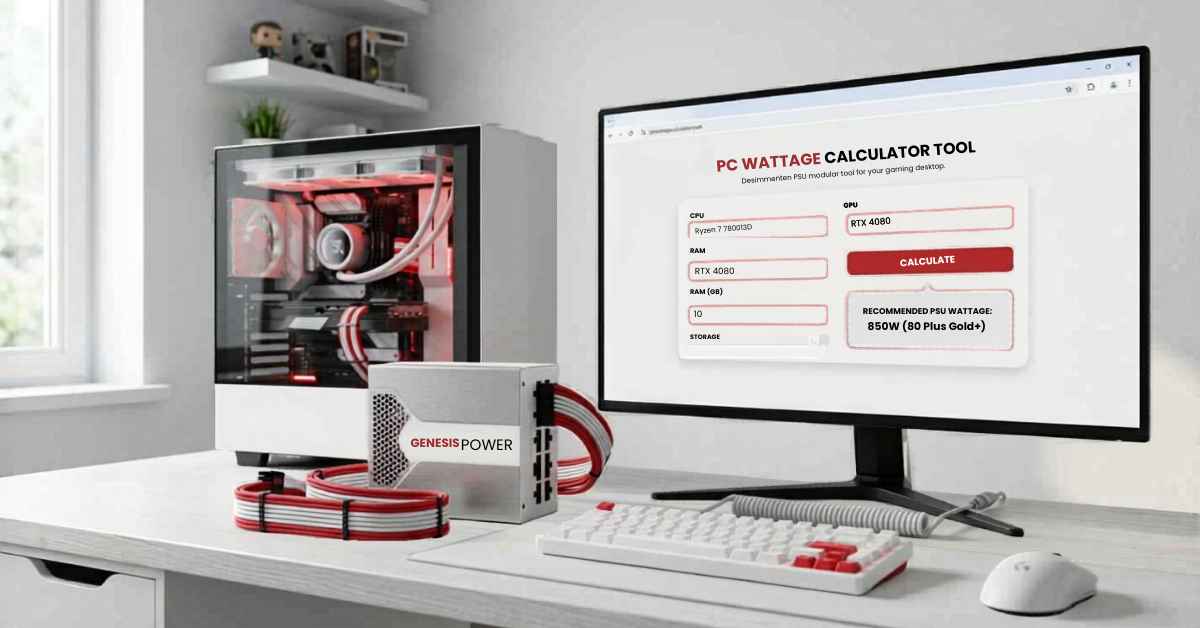
The fastest way: Use the free PSU calculator at techsearchers.com/psu-calculator. Enter your CPU and GPU — it calculates everything else automatically and gives you a recommended wattage in seconds.
Step 2 — Add 20–30% Headroom
Never buy a PSU sized exactly to your wattage.
Why it matters:
- PSUs run most efficiently at 50–80% load — not 100%
- Running at full capacity generates extra heat and shortens lifespan
- Power spikes during gaming can momentarily exceed your calculated draw
- Leaves room for future upgrades (new GPU, extra drives, RGB)
The simple formula:
Your calculated wattage × 1.25 = Minimum PSU to buy
| System Needs | Buy This PSU |
|---|---|
| 300W | 450W |
| 400W | 550W |
| 500W | 650W |
| 600W | 750W |
| 700W | 850W |
| 800W+ | 1000W+ |
Step 3 — Choose Your Efficiency Rating (80 PLUS Explained Simply)
The 80 PLUS badge tells you how efficiently a PSU converts power from your wall socket into usable power for your PC.
Less waste = less heat + lower electricity bill + longer component life.
| 80 PLUS Rating | Efficiency | Cost Range | Best For |
|---|---|---|---|
| Bronze | 85% | $50–70 | Budget builds under $700 |
| Gold | 90% | $80–130 | Most gaming PCs — best value |
| Platinum | 92% | $130–200 | High-wattage or always-on systems |
| Titanium | 94% | $200+ | Extreme builds, workstations |
For gaming: always choose Gold.
The difference between Bronze and Gold efficiency means $5–10 saved per year on electricity. Over a 7-year PSU lifespan that pays for the price difference, and Gold runs cooler and quieter the whole time.
Platinum and Titanium only make financial sense if you’re running 1000W+ continuously for many hours per day.
Step 4 — Modular, Semi-Modular, or Non-Modular?
This choice affects your cable management and airflow — not your performance.
Non-Modular
All cables are permanently attached to the PSU — even the ones you don’t use. You stuff the unused cables behind your motherboard tray or tie them up. Cheapest option.
Best for: Strict budget builds where every dollar counts.
Semi-Modular
The essential cables (24-pin motherboard, CPU power) are fixed. Everything else (GPU power, SATA, extra PCIe) detaches. Clean middle ground.
Best for: Mid-range builds wanting a tidy look without paying full modular price.
Fully Modular
Every single cable detaches. Only plug in exactly what you need. Cleanest build, best airflow, easiest cable management.
Best for: Any build where you care about aesthetics, airflow, or easy upgrades. Worth the extra $15–25.
Recommendation for most gamers: Semi-modular at budget level, fully modular for mid-range and above.
Step 5 — Pick a Brand You Can Trust
This is where most people make their worst PSU mistake — choosing an unknown brand to save $20.
A low-quality PSU delivers unstable voltage. That instability silently degrades your CPU, GPU, and storage over months — then causes random crashes, blue screens, or complete failure.
Brands with proven track records:
Seasonic — The gold standard. Manufactures units for many other brands. If you’re unsure, buy Seasonic.
Corsair RM / HX Series — Reliable, widely available, excellent warranties. RM series is the sweet spot for gaming builds.
be quiet! — Outstanding build quality and genuinely silent operation. Popular in Europe, underrated in the US.
Fractal Design Ion Series — Excellent value, often overlooked. Fully modular, Gold rated, 10-year warranty.
Asus ROG / TUF — Premium tier for high-end builds. ATX 3.0 ready options for RTX 40-series.
NZXT C Series — Clean design, good value for mid-range gaming builds.
Brands to avoid: Unknown budget brands from marketplace listings, even if they show 80 PLUS badges. Certification doesn’t guarantee build quality or voltage regulation.
Step 6 — Check the Right Connectors
Before you buy, confirm your PSU has the cables your build actually needs.
| Connector | What It Powers |
|---|---|
| 24-pin ATX | Motherboard (every build needs this) |
| 8-pin EPS (CPU) | CPU power — some high-end boards need two |
| 6+2 pin PCIe | GPU power — older cards use 1–2 of these |
| 16-pin 12VHPWR | RTX 40-series GPUs (4080, 4090) |
| SATA power | SSDs, HDDs, some RGB hubs |
| Molex | Older devices, some fans |
RTX 40-series note: If you’re buying for an RTX 4080 or 4090, look for a PSU with a native 16-pin 12VHPWR connector (ATX 3.0 standard). Using adapters works, but native connectors are safer and more reliable.
PSU Recommendations by Gaming Build
Budget Gaming Build (under $900 total)
Target GPU: RTX 4060 / RX 7600
- Wattage needed: 350–400W system total
- Buy: 550W Gold, semi-modular
- Good picks: Corsair CX550F, Seasonic Focus GX-550
Mid-Range Gaming Build ($900–$1,500)
Target GPU: RTX 4070 / RX 7800 XT
- Wattage needed: 400–480W system total
- Buy: 650–750W Gold, fully modular
- Good picks: Corsair RM750x, Seasonic Focus GX-750, be quiet! Straight Power 11 750W
High-End Gaming Build ($1,500–$2,500)
Target GPU: RTX 4080 / RX 7900 XTX
- Wattage needed: 550–680W system total
- Buy: 850–1000W Gold, fully modular
- Good picks: Corsair HX1000, Seasonic Prime GX-1000, Fractal Design Ion+ 2 860W
Enthusiast Build ($2,500+)
Target GPU: RTX 4090
- Wattage needed: 750–850W system total
- Buy: 1000–1200W Platinum, ATX 3.0, fully modular
- Good picks: Seasonic Prime TX-1300, ASUS ROG Thor 1200P2, Corsair HX1500i
Red Flags — Signs You Picked the Wrong PSU
Your PSU is too weak if:
- PC shuts down randomly under gaming load but is fine at idle
- Blue screens only happen during demanding games or benchmarks
- GPU performance drops mid-session (power throttling)
- System won’t start after installing a new GPU
- Coil whine increases noticeably under load
Your PSU might be low quality if:
- No 80 PLUS certification on the box
- Warranty is under 3 years
- Brand has no presence in established tech review sites
- Price is dramatically lower than comparable rated units
If any of these apply — use the PSU calculator to check your wattage, then replace the unit before it causes further damage.
The Checklist — Before You Buy Any PSU
Use this every time:
- Calculate your system wattage (use techsearchers.com/psu-calculator)
- Add 20–30% headroom to that number
- Choose 80 PLUS Gold rating minimum
- Decide: semi-modular (budget) or fully modular (mid-range and above)
- Confirm it has the right connectors for your GPU
- Buy from: Seasonic, Corsair, be quiet!, Fractal Design, or Asus ROG
- Check the warranty — minimum 5 years, ideally 10
Do all seven. Your entire build depends on getting this right.
Bottom Line
Picking the right power supply for your gaming PC comes down to five things: correct wattage, 20–30% headroom, Gold efficiency, modular cables, and a trusted brand.
Get the wattage wrong and nothing else matters.
Start with the free PSU calculator at techsearchers.com/psu-calculator — enter your components and get your exact recommended PSU wattage in under 60 seconds. Then come back to this guide to make the rest of the decision.
Your build deserves stable, clean power. Don’t be the person who finds out their PSU was the problem after six months of random crashes.
Frequently Asked Questions
1. How do I choose the right power supply for my gaming PC?
Use a free PSU wattage calculator to estimate your system’s needs. Input your CPU and GPU, add 20–30% headroom, then choose an 80 PLUS Gold PSU from a trusted brand. This method ensures stability and efficiency for almost any gaming build.
2. Is a 650W PSU enough for a gaming PC in 2025?
Yes, for mid-range systems with an RTX 4070 or RX 7800 XT and a Ryzen 7 or Intel i5/i7, a 650W Gold PSU is sufficient. For high-end GPUs like the RTX 4080 or above, consider 850W or higher to ensure safe and stable power delivery.
3. What are the best gaming PSUs?
Top gaming PSUs are fully modular, 80 PLUS Gold certified, and from reliable brands like Seasonic, Corsair RM series, be quiet! Straight Power, and Fractal Ion. Always match the wattage to your build using a PSU calculator for optimal performance.
4. Does PSU brand really matter?
Absolutely. A high-quality PSU brand ensures voltage stability, which protects your CPU, GPU, and other components. Cheap or unknown brands are the leading cause of PC instability and unexplained crashes.
5. Is an 80 PLUS Gold PSU worth it for gaming?
Yes. Gold-rated PSUs are more efficient, cooler, and quieter than Bronze units. The cost difference is minimal ($10–25), but the long-term benefits in reliability and lifespan—typically 7–10 years—are significant.
6. Can I use a 1000W PSU in a 400W system?
Yes, a larger PSU only draws what your system requires. However, PSUs are less efficient at very low loads (<20% capacity). A 550W PSU in a 400W system will run more efficiently than a 1000W unit at the same load.
7. How long does a gaming PC power supply last?
Quality gaming PSUs from reputable brands last 7–10 years and usually come with matching warranties. Cheap units often fail in 2–4 years, sometimes damaging other components in the process.
