
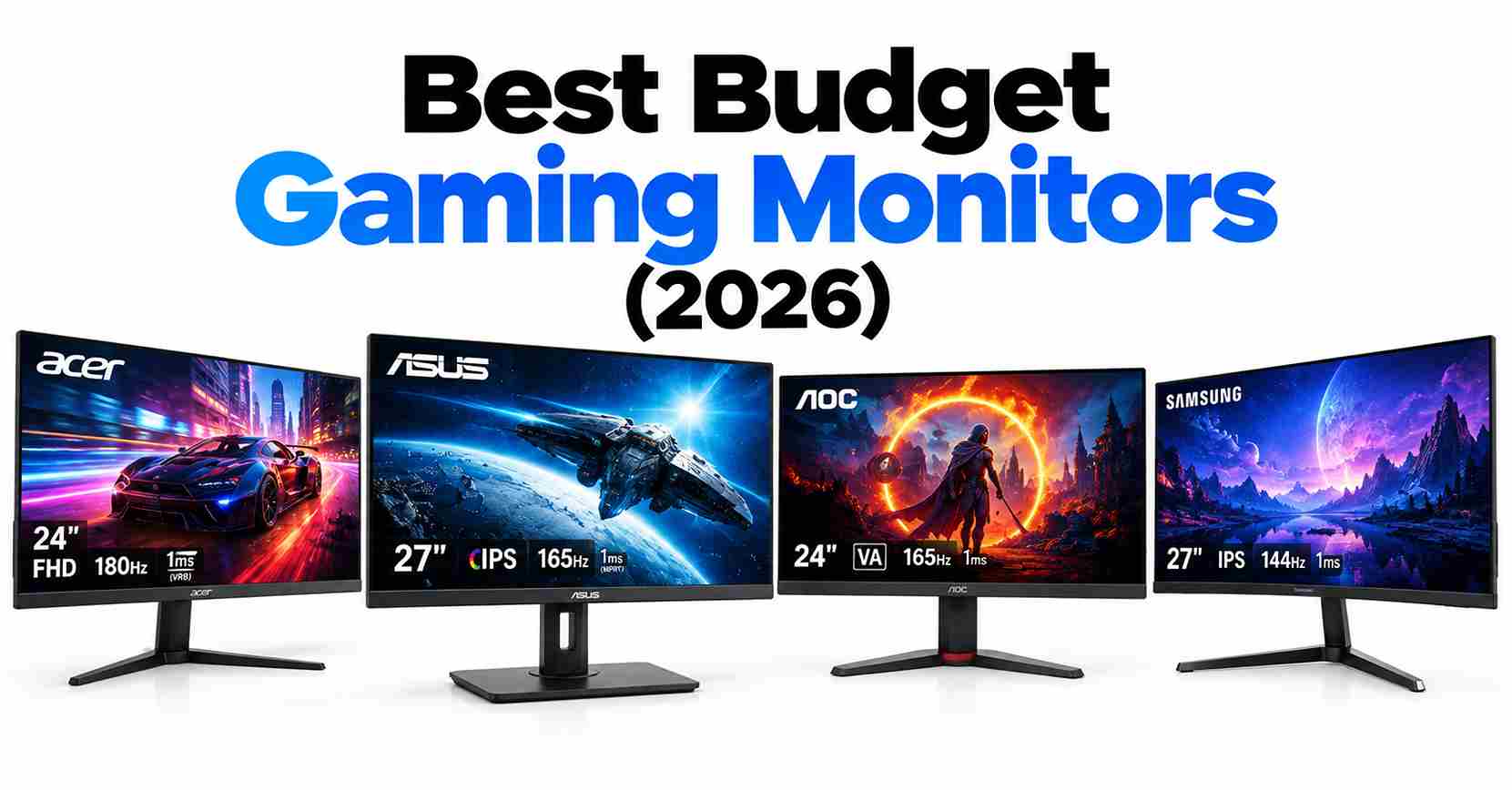
The best budget gaming monitor in 2026 gives you high refresh rates and adaptive sync for the price of a nice dinner out. You don’t need to spend $500 for smooth, tear-free gaming—a good 1080p 165Hz+ IPS panel handles competitive and casual play beautifully.
This guide compares six affordable gaming monitors, all 1080p high-refresh IPS (or VA) panels with adaptive sync. Every pick focuses on what matters at this price: motion clarity, low input lag, and honest value.
Quick Picks: Best Budget Gaming Monitors at a Glance
| Category | Monitor | Key Specs | Why It Offers Value |
|---|---|---|---|
| Best Overall | AOC 24G2SP | 24″ • 1080p • 165Hz • IPS | Excellent balance of refresh rate, IPS image quality, gaming performance, and price |
| Best Value | MSI G244F | 24″ • 1080p • 170Hz • IPS | Higher refresh rate with strong gaming performance at a competitive price |
| Best Budget | ViewSonic VX2479-HD-PRO | 24″ • 1080p • up to 180Hz* • IPS | Strong choice when the priority is getting high refresh rate for the lowest price |
| Best 25″ Pick | Gigabyte GS25F2 | 25″ • 1080p • up to 200Hz* • IPS* | More screen space and very high refresh rate for competitive gaming |
| Best ASUS Pick | ASUS TUF Gaming VG249Q1A | 24″ • 1080p • 165Hz • IPS | Reliable gaming features, smooth motion, and a proven IPS panel |
| Also Great | Acer Nitro KG241Y | 24″ • 1080p • up to 165Hz* • VA/IPS* | Worth considering when heavily discounted, but verify the exact variant |
1. AOC 24G2SP — Best Overall
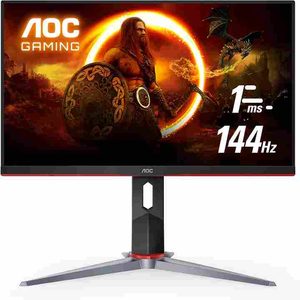
| Specification | Details |
|---|---|
| Screen Size | 24 inches |
| Resolution | 1920 × 1080 (Full HD) |
| Refresh Rate | Up to 165Hz* |
| Panel Type | VA or IPS, depending on model/revision* |
| Adaptive Sync | AMD FreeSync on compatible variants* |
| Best For | Budget 1080p gaming |
| Price | Check current listing |
The Acer Nitro KG241Y is a budget-friendly 24-inch 1080p gaming monitor for players who want smooth high-refresh gaming without spending heavily. With refresh rates of up to 165Hz on compatible versions, it can deliver noticeably smoother motion than standard 60Hz displays, making it suitable for competitive shooters, esports, racing games, and everyday gaming.
The main thing to watch is model variation. Acer has released different KG241Y versions with different panel types, refresh rates, and specifications. Always check the exact model number and retailer listing before buying.
Best for: Gamers looking for an affordable Full HD 165Hz gaming monitor with a compact 24-inch screen.
Pros
- Up to 165Hz refresh rate for smoother gameplay
- 1080p resolution is well suited to competitive gaming
- Compact 24-inch format works well on smaller desks
- AMD FreeSync support on compatible models
- Usually competitively priced
Cons
- Specifications vary between KG241Y revisions
- Stand and ergonomics are relatively basic
- Panel quality depends on the specific version
- Some VA variants can show more motion smearing than comparable IPS displays
Who Should Buy It?
The Acer Nitro KG241Y makes sense if your priority is affordable 1080p high-refresh gaming and you find a verified 165Hz model at a competitive price.
Who Should Skip It?
Skip it if you specifically want a guaranteed IPS panel, better stand adjustability, or consistently documented specifications. If a better-equipped 165Hz IPS monitor costs only slightly more, the upgrade may offer better overall value.
Buying tip: Because the KG241Y name covers multiple variants, verify the exact panel type, refresh rate, ports, and adaptive-sync support for the specific listing before purchasing.
*Specifications can vary by model revision and region. Check the manufacturer’s specifications and the exact retailer listing before buying.
2. MSI MAG 245C X24 — Best Value
| Spec | Details |
|---|---|
| Size | 24″ |
| Resolution | 1920 × 1080 (FHD) |
| Refresh Rate | 240Hz |
| Panel | Rapid VA |
| Adaptive Sync | AMD FreeSync Premium |
| Response Time | 1ms |
| HDR | HDR Ready |
| Ports | HDMI, VGA |
| Mounting | VESA |
| Stand | Tilt adjustment |
| Price | Verify |
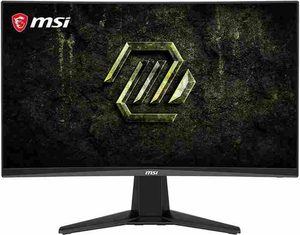
The MSI MAG 245C X24 is a strong value pick for gamers who want a 240Hz Full HD gaming monitor without paying for a higher-resolution display. Its 24-inch curved panel, 1ms response time, and AMD FreeSync Premium are well suited to fast-paced competitive games where smooth motion and low latency matter most.
The 240Hz refresh rate is the main attraction, giving this monitor a clear advantage over typical 144Hz–180Hz budget displays when paired with a PC capable of producing high frame rates.
Best for: Competitive gamers who want 240Hz gaming at 1080p at a budget-friendly price.
Pros
- Fast 240Hz refresh rate
- 1ms response time
- AMD FreeSync Premium
- 24-inch FHD resolution is ideal for competitive gaming
- HDR Ready support
- VESA mount compatibility
- HDMI and VGA connectivity
Cons
- 1080p resolution is less sharp than 1440p
- Tilt-only stand offers limited ergonomics
- VA panel characteristics may not suit users seeking the fastest IPS-style motion performance
- VGA is outdated for modern gaming
Who should NOT buy this
This monitor isn’t the best choice if you want 1440p resolution, a highly adjustable stand, or a premium color-accurate display. For competitive 1080p gaming, however, its 240Hz refresh rate makes it a compelling value option.
3. ViewSonic VG2448A 24 Inch — Best Budget
| Spec | Details |
|---|---|
| Size | 24″ |
| Resolution | 1920 × 1080 (FHD) |
| Panel | IPS |
| Refresh Rate | Verify |
| USB Hub | Yes |
| Stand | Ergonomic / Adjustable |
| VESA | Yes |
| Price | Verify |
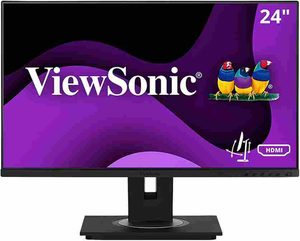
The ViewSonic VG2448A is a practical 24-inch Full HD IPS monitor aimed more at office work, productivity, and everyday computing than competitive gaming. Its IPS panel provides comfortable viewing and consistent image quality, while the ergonomic stand makes it easier to adjust the screen for a proper working position.
The built-in USB hub is also useful for connecting peripherals without constantly reaching behind your PC. If your priority is productivity rather than an extremely high refresh rate, the VG2448A offers a sensible feature set without paying for gaming-focused extras.
Best for: Office workers, students, home offices, and users who prioritize ergonomics, IPS image quality, and connectivity.
Pros
- 24-inch Full HD IPS display
- Ergonomic adjustable stand
- Built-in USB hub
- VESA mounting support
- Good choice for productivity and office work
- Compact size for smaller desks
Cons
- Not designed primarily for high-refresh competitive gaming
- 1080p resolution is less spacious than 1440p
- Gaming features are more limited than dedicated gaming monitors
- Refresh-rate specification should be confirmed for the exact model/SKU
Who should NOT buy this
This isn’t the right choice if your priority is 240Hz competitive gaming, ultra-low response times, or advanced gaming features. Gamers should consider a dedicated high-refresh gaming monitor instead. For office work and everyday productivity, however, the VG2448A’s ergonomic design and USB connectivity make it a more practical choice.
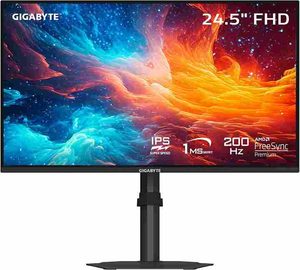
4. Gigabyte GS25F2 — Best 25″ Pick
| Specification | Details |
|---|---|
| Screen Size | 25 inches |
| Resolution | 1920 × 1080 (Full HD) |
| Refresh Rate | Up to 200Hz* |
| Panel Type | IPS* |
| Adaptive Sync | Verify for exact model |
| Best For | Competitive 1080p gaming |
| Price | Check current listing |
The Gigabyte GS25F2 is a compelling option for gamers who want a 25-inch Full HD gaming monitor with a high refresh rate. Its larger screen provides slightly more viewing area than typical 24-inch models, while the 200Hz refresh rate can deliver exceptionally smooth motion when your PC can produce high frame rates.
It is particularly appealing for competitive gaming, where responsiveness and smooth motion matter more than moving to a higher 1440p resolution.
Best for: Competitive gamers who want a larger 25-inch 1080p display and very high refresh rate at a budget-friendly price.
*Verify the exact refresh rate, panel type, adaptive-sync support, and connectivity for your specific regional model before purchasing.
The Gigabyte GS25F2 stretches to 25 inches and a blistering refresh rate (up to 200Hz) while staying in budget territory. The extra inch over 24″ models is noticeable for immersion, and the high refresh rate suits competitive players. Confirm the exact refresh rate and panel type on your specific listing — Gigabyte’s budget SKUs move fast.
Best for: Competitive gamers who want the biggest, fastest budget panel available.
Pros:
- 25″ size — more immersive than 24″
- Very high refresh rate for the price
- Gigabyte’s gaming OSD features
Cons:
- 1080p at 25″ is slightly less sharp than at 24″
- Exact specs need verification — SKUs vary
- Basic ergonomics
Who should NOT buy this: Sharpness purists — 1080p is crisper at 24″. If the verified refresh rate disappoints, the AOC is the safer pick.
5. ASUS TUF Gaming VG249Q1A — Best ASUS Pick
| Specification | Details |
|---|---|
| Screen Size | 24 inches |
| Resolution | 1920 × 1080 (Full HD) |
| Refresh Rate | 165Hz |
| Panel Type | IPS |
| Adaptive Sync | FreeSync Premium* |
| Motion Technology | ELMB |
| Best For | Competitive 1080p gaming |
| Price | Check current listing |
The ASUS TUF Gaming VG249Q1A is a strong budget gaming monitor for players who want 165Hz Full HD gaming, an IPS panel, and responsive motion performance without moving into premium pricing. Its ELMB motion-blur reduction technology is designed to improve clarity during fast-moving gameplay, while adaptive sync helps reduce screen tearing on compatible systems.
It is particularly worth considering when you prefer ASUS’s TUF Gaming lineup or find the VG249Q1A priced competitively against alternatives such as the AOC 24G2SP and MSI G244F.
Best for: Gamers looking for a reliable 24-inch 165Hz IPS gaming monitor with additional motion-enhancement features.
Pros:
- 165Hz IPS with good motion handling
- ELMB blur-reduction mode
- Solid TUF build quality
- Often discounted competitively
Cons:
- Rarely the cheapest option at full price
- ELMB can’t run simultaneously with adaptive sync [VERIFY]
- Stand adjustments limited [VERIFY]
Who should NOT buy this: Full-price buyers when the AOC or MSI is cheaper — only pick the ASUS at a discount or for brand preference.
6. Acer Nitro KG241Y — Also Great
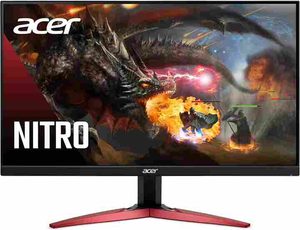
Acer Nitro KG241Y — Best Budget 165Hz Gaming Monitor
Acer Nitro KG241Y — Best Budget 165Hz Gaming Monitor
| Specification | Details |
|---|---|
| Screen Size | 24″ |
| Resolution | 1920 × 1080 (Full HD) |
| Refresh Rate | Up to 165Hz* |
| Panel | VA or IPS, depending on revision* |
| Adaptive Sync | AMD FreeSync* |
| Price | Check current listing |
The Acer Nitro KG241Y is a budget-friendly 24-inch 1080p gaming monitor designed for players who want a high refresh rate without spending much. Its combination of Full HD resolution and up to 165Hz refresh makes it well suited to competitive games such as esports shooters, racing games, and fast-paced multiplayer titles.
One important consideration is that KG241Y specifications can vary by model revision and regional SKU. Before buying, check the exact listing for the panel type, refresh rate, connectivity, and other specifications rather than assuming every KG241Y model is identical.
Best for: Budget-conscious gamers looking for an affordable 1080p high-refresh monitor.
Pros
- Up to 165Hz refresh rate for smooth gaming
- 24-inch Full HD resolution works well for competitive gaming
- Typically priced competitively
- AMD FreeSync support on compatible variants
- Compact size suits smaller gaming desks
Cons
- Specifications vary between revisions and regions
- Basic stand and ergonomics
- Panel performance depends on the specific variant
- VA versions may have more noticeable motion blur than comparable IPS models
Who Should Buy It?
Choose the Acer Nitro KG241Y if your priority is getting high-refresh 1080p gaming at the lowest reasonable price. Just make sure you verify the exact model and specifications before ordering.
Who Should Skip It?
Skip it if you want guaranteed IPS specifications, stronger ergonomics, or consistently documented performance across revisions. If a better-specified 165Hz IPS monitor is only slightly more expensive, paying the small premium may be worthwhile.
*Specifications can vary by KG241Y revision and regional SKU. Always verify the manufacturer’s specifications and your retailer’s exact listing before purchase.
Monitor Buying Guide: How to Choose
Refresh rate first, resolution second (on a budget)
At budget prices, 1080p high-refresh beats 1440p 60Hz for gaming every time. 165Hz is the sweet spot — visibly smoother than 144Hz, and cheap enough now to be the default. Only consider 1440p when your GPU can drive it.
IPS for most people
IPS panels offer the best colors and viewing angles at this price. VA gives better contrast but slower response times (smearing in dark scenes). For mixed gaming and daily use, IPS is the safer pick.
Adaptive sync is non-negotiable
FreeSync (AMD) and G-Sync Compatible (NVIDIA) eliminate tearing without the input lag of V-Sync. Every monitor here supports it — never buy a gaming monitor without it in 2026.
Check the stand — or budget for an arm
Budget monitors cut costs on stands. If height adjustment matters, verify before buying or plan $25-35 for a VESA monitor arm (most of these are VESA-compatible [VERIFY]).
Use DisplayPort for high refresh
HDMI on budget monitors sometimes caps below the max refresh rate. Use DisplayPort to guarantee the full 165Hz+ — it’s the reliable path on every pick here.
Common Mistakes to Avoid
- Buying 4K on a budget GPU. A 4K monitor with an RTX 5060 is a slideshow — match the monitor to your GPU.
- Ignoring the panel lottery. Budget models change panels between revisions. Verify the exact specs on your listing.
- Gaming on HDMI and wondering why it’s 120Hz. Use DisplayPort for the full refresh rate.
- Paying extra for fake HDR. HDR400 on budget monitors is marketing — don’t pay a premium for it.
- Sitting too close to 1080p. At 24″ it’s fine; at 27″ 1080p looks pixelated. Size and resolution must match.
Conclusion
The best budget gaming monitor in 2026 is no longer about settling for a basic 60Hz display. Affordable 1080p monitors now offer 165Hz, 170Hz, 180Hz, and even 240Hz refresh rates, along with adaptive sync and responsive panels that deliver smooth, low-latency gaming without a premium price tag.
For most gamers, the AOC 24G2SP is the safest all-round choice, while the MSI MAG 245C X24 stands out if you want 240Hz competitive gaming. The Gigabyte GS25F2 is worth considering for a larger 25-inch screen, while ASUS, ViewSonic, and Acer provide alternatives depending on pricing and specific features.
Ultimately, prioritize refresh rate, panel quality, adaptive sync, connectivity, and GPU compatibility rather than paying extra for features that don’t improve your gaming experience. For 1080p gaming, a good 165Hz+ monitor remains one of the best performance-per-dollar upgrades you can make.
Frequently Asked Questions
Is 1080p still good for gaming in 2026?
Absolutely — for competitive and mainstream gaming, 1080p high-refresh remains the value king. It’s easier on your GPU (higher frame rates), and at 24″ it’s plenty sharp. 1440p is nicer but demands a stronger GPU and costs more.
What refresh rate do I actually need?
165Hz is the sweet spot for most gamers — a clear step up from 144Hz without the diminishing returns (and GPU demands) of 240Hz+. Competitive players benefit most; casual gamers will still notice the smoothness.
FreeSync vs. G-Sync — does it matter?
Not much anymore. Most FreeSync monitors are G-Sync Compatible, so they work with both AMD and NVIDIA cards. Just enable adaptive sync and forget about the branding.
Should I get a curved budget monitor?
At 24″ 1080p, curvature adds little — it’s a non-factor for immersion at this size and can distort the image. Prioritize panel quality and refresh rate over curve.
