
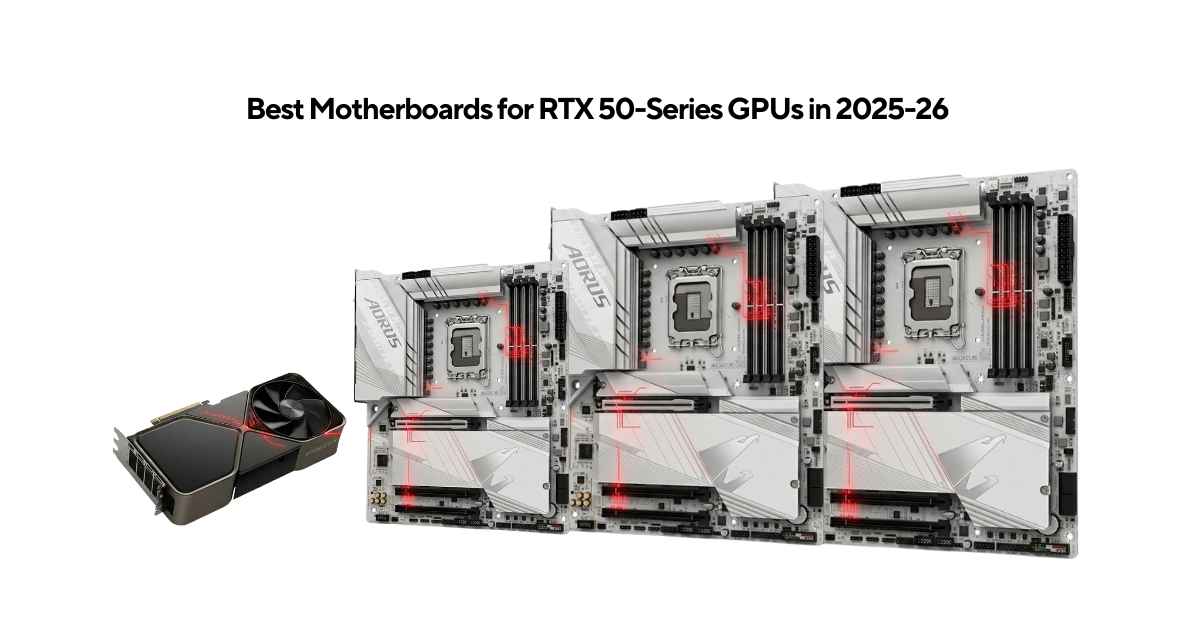
NVIDIA’s RTX 50-series GPUs are built on the Blackwell architecture and need a platform that matches their capability. The RTX 5060, 5070, 5080, and 5090 all use a PCIe 5.0 x16 slot, draw serious power, and work best with fast DDR5 memory. Pairing them with the wrong motherboard leaves performance on the table.
On the Intel side, the LGA 1851 socket with Z890 and B860 chipsets is the 2025–2026 platform of choice. Intel’s Core Ultra 200S processors sit in this socket and — unlike the previous Z790 generation can feed full PCIe 5.0 bandwidth to both the GPU slot and an M.2 storage slot at the same time.
This guide covers the top 7 motherboards for RTX 50-series builds. Each board has been selected based on verified specs, independent reviews, and real value for money.
What Makes a Motherboard RTX 50-Series Ready
Before looking at specific boards, here are the four platform requirements that actually matter.
PCIe 5.0 x16 Slot
This is the GPU slot. PCIe 5.0 x16 delivers 64 GB/s of bandwidth double that of PCIe 4.0. RTX 50-series cards are designed around this standard. PCIe 4.0 is still backward compatible and works fine today, but as GPU memory bandwidth exceeds 1.7 TB/s on high-end cards, full PCIe 5.0 becomes more relevant over time. Every board in this guide has a proper PCIe 5.0 x16 slot.
DDR5 Memory Support
Arrow Lake’s memory controller is built for DDR5. Native JEDEC speed is DDR5-6400, but all Z890 boards push well beyond that with XMP profiles. Higher memory frequency helps in CPU-sensitive workloads, reduces latency in gaming, and is essential for AI inference tasks that load large models into system RAM alongside VRAM. Look for boards that support at least DDR5-7200+ out of the box and 9000+ with tuning.
VRM Power Delivery
The RTX 5090 uses up to 600W through its power connector. A Core Ultra 9 285K can draw 250W or more when overclocked. The motherboard’s VRM (Voltage Regulator Module) must supply clean, stable power to the CPU under these loads without overheating or throttling. For high-end builds, aim for 18+ phases at 100A or more per MOSFET. Budget builds with stock CPU settings can work fine with 12-phase, 60–80A designs.
Thermal Design and Connectivity
Sustained workloads — AI training, 4K video rendering, long gaming sessions — push VRM components and PCIe 5.0 NVMe drives to their limits. Good heatsink coverage on both VRMs and M.2 slots is not optional on a flagship build. On the connectivity side, Wi-Fi 7 (802.11be), Thunderbolt 4 or 5, and 2.5G–10G wired LAN define the 2025–2026 standard.
Top 7 Motherboards — Detailed Breakdown
| Category | Best Board | Why | Price |
|---|---|---|---|
| Best Overall | Gigabyte Z890 Aorus Master | 10GbE LAN, 110A VRM, 9500+ DDR5, dual TB4, 5× M.2 — best features per dollar | amazon |
| Best Flagship | MSI MEG Z890 Godlike | 26-phase VRM, TB5, 10G+5G LAN, 8+ M.2, 3.99″ LCD — for RTX 5090 | amazon |
| Best Overclocking | ASUS ROG Maximus Z890 Hero | NitroPath DDR5, 3× PCIe 5.0 M.2, QUAD DAC audio, AI tuning ecosystem | amazon |
| Best for Storage | ASRock Z890 Taichi Lite | 6 M.2 slots with 110A VRM — most storage at under $400 | amazon |
| Best Mid-Range | MSI MAG B860 Tomahawk WiFi | PCIe 5.0, TB4, Wi-Fi 7, 5G LAN at $229 — best value for RTX 5060/5070 | amazon |
| Best ASUS Budget | ASUS TUF B860-Plus WiFi | 80A DrMOS, SafeSlot, BIOS FlashBack, solid ASUS ecosystem | amazon |
| Best Budget Upgrade | MSI MAG B760M Mortar WiFi | PCIe 5.0 x16 for RTX 5060, LGA 1700 compatible — no platform change needed | amazon |
1. MSI MEG Z890 Godlike
Chipset: Intel Z890 | Socket: LGA 1851 | Form Factor: E-ATX Price: ~$1,329 Amazon
The Godlike is the most fully equipped Intel consumer motherboard available right now. It uses a 10-layer server-grade PCB with a 26-phase VRM delivering 110A per stage. It includes a 3.99-inch full-color LCD for real-time system monitoring, Thunderbolt 5 via an included add-in card (160 Gbps bandwidth), dual LAN ports (10G Marvell and 5G Intel Killer), Wi-Fi 7, and MSI’s EZ Bridge that consolidates all front-panel, fan, and RGB headers into one location for clean cable management. Storage covers 6 onboard M.2 slots plus an expandable Gen5 card.
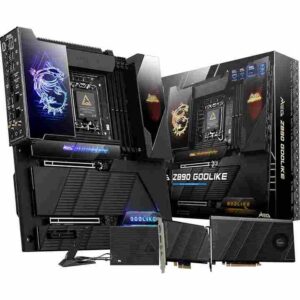
Key Specs
| Spec | Detail |
|---|---|
| VRM | 26 phases / 110A SPS |
| DDR5 OC | 9200+ MT/s |
| Max RAM | 256 GB |
| PCIe GPU Slot | PCIe 5.0 x16 |
| M.2 Slots | 6 onboard + expansion card |
| PCIe 5.0 M.2 | 2× Gen5 x4 |
| Thunderbolt | TB4 onboard + TB5 AIC included |
| LAN | 10G Marvell + 5G Intel Killer |
| Wi-Fi | Wi-Fi 7 (802.11be) |
| Audio | ALC4082 + ESS9219Q DAC |
| Dashboard | 3.99″ TFT color LCD |
Pros
- Most powerful VRM available on any Intel consumer board (26-phase, 110A)
- Thunderbolt 5 included via add-in card — 160 Gbps bandwidth
- Dual LAN with 10G + 5G for maximum wired throughput
- 3.99″ LCD shows temps, clocks, and system status in real time
- EZ Bridge keeps cable management genuinely clean
- 8 total M.2 slots when using the included expansion card
- Server-grade 10-layer PCB with thickened 2oz copper traces
Cons
- ~$1,329 is expensive — most users will never stress these specs
- E-ATX size needs a full-tower case
- Thunderbolt 5 requires installing the included add-in card, not native on the board
- A complex feature set can be overwhelming during initial BIOS setup
Best For: RTX 5090 builds, extreme overclocking, AI/ML workstations, professional 8K video workflows, showcase builds.
2. ASUS ROG Maximus Z890 Hero
Chipset: Intel Z890 | Socket: LGA 1851 | Form Factor: ATX Price: ~$700 Amazon
The ROG Maximus Z890 Hero is ASUS’s premium ATX offering for the Z890 platform. It uses a 22+2+1+2 power stage design, ASUS’s proprietary NitroPath DDR5 technology for better memory overclocking headroom, three PCIe 5.0 M.2 slots, and dual Thunderbolt 4 ports. ASUS’s AI-driven tools cover overclocking, cooling fan curves, and network prioritization automatically. The board also includes ROG M.2 PowerBoost, which ensures all M.2 slots can run at full speed simultaneously without sharing bandwidth.
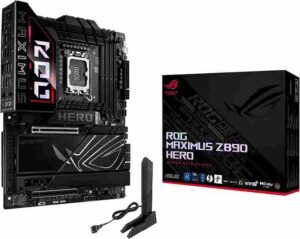
Key Specs
| Spec | Detail |
|---|---|
| VRM | 22+2+1+2 power stages |
| DDR5 OC | 9200+ MT/s |
| Max RAM | 256 GB |
| PCIe GPU Slot | PCIe 5.0 x16 SafeSlot |
| M.2 Slots | 6 total (3× PCIe 5.0) |
| Thunderbolt | 2× Thunderbolt 4 Type-C |
| LAN | 5G Realtek + 2.5G Intel |
| Wi-Fi | Wi-Fi 7 (802.11be) |
| Audio | SupremeFX ALC4082 + ESS9219 QUAD DAC |
| USB | 2× TB4 + 5× USB 10G + 4× USB 5G (rear) |
Pros
- Three PCIe 5.0 M.2 slots — most in this price tier
- NitroPath DDR5 technology improves memory OC stability
- ASUS AI Overclocking, AI Cooling II, and AI Networking II
- SupremeFX audio with QUAD DAC — audiophile quality onboard
- SafeSlot GPU reinforcement with Q-Release Slim for easy removal
- M.2 PowerBoost ensures simultaneous full-speed operation across all M.2 slots
- ATX form factor fits standard mid-tower and full-tower cases
Cons
- $700 is a significant investment
- No Thunderbolt 5 — TB4 is the ceiling
- Dual LAN tops at 5G + 2.5G, not 10G like Godlike or Aorus Master
- No built-in LCD display
- Arrow Lake CPUs have not dramatically outpaced AMD equivalents in IPC
Best For: RTX 5090/5080 with overclocked Core Ultra 9, content creators needing fast multi-NVMe storage, ASUS ecosystem builders who want AI tuning tools in an ATX board.
3. Gigabyte Z890 Aorus Master
Chipset: Intel Z890 | Socket: LGA 1851 | Form Factor: ATX Price: ~$599 Amazon
The Aorus Master is the best value proposition among flagship Z890 boards. At $599, it includes 10GbE LAN — something rarely seen below $800 on competing boards — along with an 18+1+2 phase VRM using 110A Renesas SPS MOSFETs, DDR5 support up to 9500+ MT/s, five M.2 slots (two PCIe 5.0), and dual Thunderbolt 4 Type-C ports. Tom’s Hardware noted it draws less power than comparable boards under the same load, meaning better efficiency at sustained workloads. The EZ-Latch system removes the need for screwdrivers when installing M.2 drives or swapping the GPU.
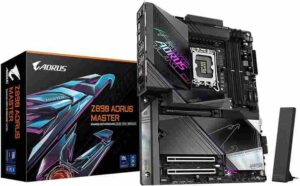
Key Specs
| Spec | Detail |
|---|---|
| VRM | 18+1+2 / 110A Renesas SPS |
| DDR5 OC | 9500+ MT/s |
| Max RAM | 256 GB |
| PCIe GPU Slot | PCIe 5.0 x16 (UD Slot X) |
| M.2 Slots | 5 total (2× PCIe 5.0) |
| Thunderbolt | 2× Thunderbolt 4 Type-C |
| LAN | 10GbE |
| Wi-Fi | Wi-Fi 7 |
| Audio | Realtek ALC1220 + ESS SABRE9118 DAC |
| Extras | EZ-Latch, DDR Wind Blade fan, AI BIOS (HyperTune) |
Pros
- 10GbE LAN at $599 — exceptional for the price
- Dual Thunderbolt 4 with USB4 and DisplayPort support
- 110A VRM handles overclocked Core Ultra 9 without issue
- Highest DDR5 ceiling in this tier: 9500+ MT/s
- EZ-Latch screwless design speeds up builds and upgrades
- Efficient power draw under sustained loads vs. competing boards
- Gigabyte’s AI BIOS HyperTune for memory optimization
Cons
- Uses older Realtek ALC1220 audio codec, not the newer ALC4082
- Only 5 M.2 slots versus 6 on Taichi Lite or 8 on Godlike
- No Thunderbolt 5
- Large heatsinks can clash with tall RAM heatspreaders
Best For: RTX 5090/5080 builds, professionals needing 10GbE for NAS connectivity, video editors and 3D artists who want flagship specs at a non-flagship price.
4. ASRock Z890 Taichi Lite
Chipset: Intel Z890 | Socket: LGA 1851 | Form Factor: ATX Price: ~$399 Amazon
The Taichi Lite strips out RGB lighting entirely and redirects that budget into hardware. The result is a 20-phase VRM with 110A SPS — the same power rating as boards costing $200 more — paired with six M.2 slots (one PCIe 5.0, five PCIe 4.0), dual Thunderbolt 4/USB4 Type-C rear ports, dual LAN (5G + 2.5G), Wi-Fi 7, and premium ESS SABRE9219 DAC audio with WIMA capacitors. At $399, nothing else on the LGA 1851 platform gives you this many M.2 slots at this price. PC Gamer noted it has the best M.2 count under $400 and described it as solid value, though initial BIOS versions had tuning quirks that have since been resolved.
Key Specs
| Spec | Detail |
|---|---|
| VRM | 20+1+2+1+1 / 110A SPS |
| DDR5 OC | 9600+ MT/s |
| Max RAM | 256 GB |
| PCIe GPU Slot | PCIe 5.0 x16 |
| M.2 Slots | 6 total (1× PCIe 5.0 “Blazing M.2”) |
| Thunderbolt | 2× TB4/USB4 Type-C (rear) |
| LAN | 5G + 2.5G Dual LAN |
| Wi-Fi | Wi-Fi 7 (802.11be) |
| Audio | ALC4082 + ESS SABRE9219 + WIMA caps |
| Extras | BIOS Flashback, Memory OC Shield, 20K capacitors |
Pros
- 6 M.2 slots — most of any board under $450
- 110A VRM equals boards costing $200–$300 more
- Dual TB4/USB4 Type-C on rear I/O
- Premium audio: ALC4082 + ESS SABRE + WIMA caps
- BIOS Flashback for recovery without installing a CPU
- Dual LAN (5G + 2.5G) plus Wi-Fi 7 covers all network needs
- RGB-free design looks clean and professional
Cons
- Gaming performance at stock settings slightly behind Gigabyte Elite in some tests
- Early BIOS revisions had stability quirks (addressed in later updates)
- Only one PCIe 5.0 M.2 slot (rest are Gen4)
- No LCD dashboard, no RGB
- Rear I/O port labeling is cramped and unclear
Best For: Multi-drive NVMe setups, prosumer workstations, RTX 5070/5080 systems, builders who want maximum hardware specs with no spending on aesthetics.
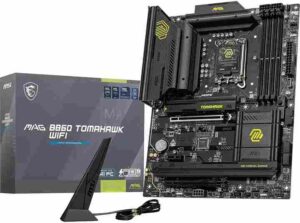
5. MSI MAG B860 Tomahawk WiFi
Chipset: Intel B860 | Socket: LGA 1851 | Form Factor: ATX Price: ~$229 Amazon
The B860 Tomahawk WiFi is the best all-around value motherboard for RTX 5060 and RTX 5070 builds. Despite using Intel’s mid-range B860 chipset, it keeps a full PCIe 5.0 x16 GPU slot, one PCIe 5.0 M.2, Thunderbolt 4, Intel Killer 5G LAN, and Wi-Fi 7. CPU overclocking is locked by the B860 chipset, but in gaming workloads the performance gap versus Z890 boards at stock settings is minimal — Tom’s Hardware confirmed “you’d be hard-pressed to see the meager difference… unless you’re counting frames.” The 12-phase 60A VRM handled a flagship Core Ultra 9 at stock without issues.
Key Specs
| Spec | Detail |
|---|---|
| VRM | 12 Duet Rail / 60A SPS |
| DDR5 OC | 9200+ MT/s |
| Max RAM | 192 GB |
| PCIe GPU Slot | PCIe 5.0 x16 |
| M.2 Slots | 3 total (1× PCIe 5.0) |
| Thunderbolt | Thunderbolt 4 (40 Gbps) |
| LAN | Intel Killer 5G |
| Wi-Fi | Wi-Fi 7 (802.11be) |
| Audio | Realtek ALC897 (7.1 HD) |
| Extras | EZ M.2 Clip, EZ Conn-Cable, PCIe Steel Armor II |
Pros
- Full PCIe 5.0 x16 slot at a $229 price
- Thunderbolt 4 at this price point is rare
- Intel Killer 5G LAN with Wi-Fi 7 for low-latency online gaming
- One PCIe 5.0 M.2 covers Gen5 NVMe storage
- MSI EZ DIY features make installation straightforward
- Handles stock Core Ultra 9 loads without VRM throttling
- Clean all-black design fits most themes
Cons
- CPU overclocking is fully locked — B860 limitation
- Only 3 M.2 slots — not suited for multi-drive builds
- Basic Realtek ALC897 audio codec
- 60A VRM has no headroom for CPU overclocking scenarios
- Fewer PCIe I/O lanes than Z890 (45 vs. 60 total)
Best For: RTX 5060 and RTX 5070 gaming builds, mainstream gamers who don’t need CPU overclocking, buyers wanting Thunderbolt 4 and 5G LAN without paying Z890 prices.
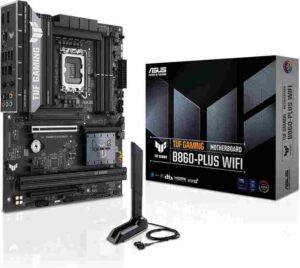
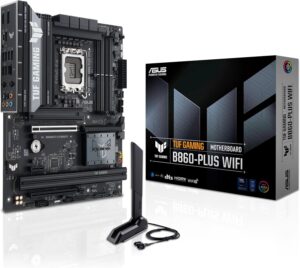
6. ASUS TUF Gaming B860-Plus WiFi
Chipset: Intel B860 | Socket: LGA 1851 | Form Factor: ATX Price: ~$199 Amazon
The TUF Gaming B860-Plus WiFi is ASUS’s answer to the B860 mid-range segment. It uses 12+1+2+1 80A DrMOS power stages — a higher per-stage rating than the MSI Tomahawk’s 60A design — along with a PCIe 5.0 x16 SafeSlot, three M.2 slots (one PCIe 5.0), Wi-Fi 7, 2.5G LAN, USB 20Gbps Type-C, and ASUS’s BIOS FlashBack for no-CPU firmware recovery. The main trade-off versus the Tomahawk is the absence of Thunderbolt 4 and a slower 2.5G LAN instead of 5G.
Key Specs
| Spec | Detail |
|---|---|
| VRM | 12+1+2+1 / 80A DrMOS |
| DDR5 OC | High OC capable |
| Max RAM | 192 GB |
| PCIe GPU Slot | PCIe 5.0 x16 SafeSlot |
| M.2 Slots | 3 total (1× PCIe 5.0) |
| Thunderbolt | None |
| LAN | 2.5G Ethernet |
| Wi-Fi | Wi-Fi 7 (802.11be) |
| Audio | Realtek HD Audio |
| Extras | BIOS FlashBack, Q-Release, M.2 Q-Latch, Aura Sync |
Pros
- 80A DrMOS is stronger per stage than most competing B860 boards
- ASUS-grade BIOS with a long track record of reliable firmware updates
- SafeSlot GPU reinforcement protects against GPU sag damage
- BIOS FlashBack for recovery without a working CPU installed
- M.2 Q-Latch for completely tool-free SSD installation
- Fan Xpert 4 with AI Cooling for smart thermal management
- Aura Sync for ASUS ecosystem RGB integration
Cons
- No Thunderbolt — unlike the MSI Tomahawk at a similar or higher price
- LAN is 2.5G only — the Tomahawk offers 5G at just $30 more
- CPU overclocking locked (B860 chipset)
- Only 3 M.2 slots
- Slightly less connectivity overall vs. Tomahawk at comparable pricing
Best For: RTX 5060 gaming builds, ASUS ecosystem users, builders who prioritize BIOS reliability and firmware longevity over raw connectivity specs.
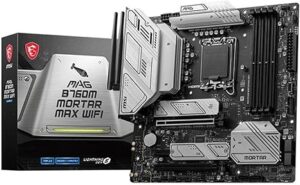
7. MSI MAG B760M Mortar WiFi
Chipset: Intel B760 | Socket: LGA 1700 | Form Factor: Micro-ATX Price: ~$180–200 Amazon
Important: This board uses LGA 1700, not LGA 1851. It supports 12th, 13th, and 14th Gen Intel Core processors only — not the Core Ultra 200S series. It is included here specifically for builders with an existing LGA 1700 CPU who want to upgrade to an RTX 5060 without replacing the entire platform.
The B760M Mortar WiFi gives you a genuine PCIe 5.0 x16 slot for full RTX 5060 bandwidth in a compact Micro-ATX footprint. It includes DDR5 support up to 7800+ MT/s, Wi-Fi 6E, 2.5G LAN, MSI’s M.2 Shield Frozr heatsinks, and a notable USB 20Gbps Type-C front panel header that is unusual at this price. For a purely practical upgrade, it gets the job done cleanly.
Key Specs
| Spec | Detail |
|---|---|
| VRM | 12× 75A DrMOS |
| DDR5 OC | 7800+ MT/s |
| Max RAM | 192 GB |
| PCIe GPU Slot | PCIe 5.0 x16 |
| M.2 Slots | 2–3 (variant dependent) |
| Thunderbolt | None |
| LAN | 2.5G Ethernet |
| Wi-Fi | Wi-Fi 6E (802.11ax) |
| Audio | Realtek ALC897 |
| Extras | M.2 Shield Frozr, PCIe Steel Armor |
Pros
- Full PCIe 5.0 x16 slot for complete RTX 5060 GPU bandwidth
- Excellent value — under $200 with solid build quality
- Micro-ATX fits compact mid-tower cases
- M.2 Shield Frozr prevents SSD thermal throttling
- USB 20Gbps Type-C header — uncommon at this price
- Best choice for LGA 1700 users upgrading to RTX 5060 without a platform change
Cons
- LGA 1700 only — does not support Core Ultra 200S (LGA 1851)
- No Thunderbolt support
- Wi-Fi 6E, not Wi-Fi 7
- LAN is 2.5G only
- Basic ALC897 audio codec
- 2–3 M.2 slots depending on variant
Best For: LGA 1700 upgrade builds pairing an RTX 5060 with an existing Core i5-12600K through i9-14900K system, compact Micro-ATX case builds.
High-End vs Mid-Range vs Budget Comparison
High-End Tier: $500–$1,400 (Z890 Flagship)
Full Z890 chipset with CPU overclocking unlocked. VRMs run 18–26 phases at 110A per stage. Multiple PCIe 5.0 M.2 slots, Thunderbolt 4 or 5, 5G–10G LAN, and premium audio are standard. These boards support the most demanding overclocking and workload scenarios. Built for Core Ultra 9 285K with RTX 5090 or 5080.
Mid-Range Tier: $200–$350 (B860)
B860 chipset locks CPU overclocking but keeps a full PCIe 5.0 x16 GPU slot. VRMs handle stock Core Ultra processors without issue. You get Wi-Fi 7, one PCIe 5.0 M.2, and sometimes Thunderbolt 4. Gaming performance at stock is within a few percent of Z890 boards. These boards make sense for RTX 5060 and 5070 builds where the GPU is the limit, not the motherboard.
Budget Tier: Under $200 (B760)
LGA 1700 boards only. PCIe 5.0 x16 is present for full GPU bandwidth on compatible GPUs. CPU and memory overclocking is limited. Wi-Fi is 6E rather than 7. Aimed purely at builders upgrading an existing 12th or 13th Gen Intel system with an RTX 5060 and not wanting to replace the whole platform.
Full Comparison Table
| Motherboard | Core Specs | Connectivity | Best For |
|---|---|---|---|
| MSI MEG Z890 Godlike | Z890 • 26×110A • DDR5 9200+ • OC | 2× Gen5 M.2 • TB4+TB5 • 10G+5G • Wi-Fi 7 | RTX 5090 • Extreme builds |
| ASUS ROG Maximus Z890 Hero | Z890 • 22-Ph • DDR5 9200+ • OC | 3× Gen5 M.2 • 2× TB4 • 5G+2.5G • Wi-Fi 7 | OC + creators |
| Gigabyte Z890 Aorus Master | Z890 • 18×110A • DDR5 9500+ • OC | 2× Gen5 M.2 • TB4 • 10G • Wi-Fi 7 | Best overall value |
| ASRock Z890 Taichi Lite | Z890 • 20×110A • DDR5 9600+ • OC | 1× Gen5 (6 total) • TB4 • 5G+2.5G • Wi-Fi 7 | Storage-heavy builds |
| MSI MAG B860 Tomahawk WiFi | B860 • 12×60A • DDR5 9200+ • No OC | 1× Gen5 M.2 • TB4 • 5G • Wi-Fi 7 | Best mid-range |
| ASUS TUF B860-Plus WiFi | B860 • 12×80A • DDR5 • No OC | 1× Gen5 M.2 • 2.5G • Wi-Fi 7 | Budget ASUS |
| MSI MAG B760M Mortar WiFi | B760 • 12×75A • DDR5 7800+ • No OC | PCIe 5.0 GPU • 2.5G • Wi-Fi 6E | LGA1700 upgrade |
Best Motherboard for Each RTX 50-Series GPU
RTX 5090 — Flagship GPU, ~$2,000+
The RTX 5090 draws up to 600W and is most often paired with an overclocked Core Ultra 9 285K. This combination demands the highest VRM spec, best thermal design, and premium connectivity.
Recommended: MSI MEG Z890 Godlike or ASUS ROG Maximus Z890 Hero
The Godlike’s 26-phase VRM, Thunderbolt 5, and 10G+5G dual LAN make it the definitive choice for 8K workflows and extreme overclocking. The Hero is the better option if you want ATX form factor and three PCIe 5.0 M.2 slots in a more standard case.
RTX 5080 — High-End GPU, ~$1,000–$1,200
The RTX 5080 suits a Core Ultra 9 or high-end Core Ultra 7 at moderate to aggressive overclocks.
Recommended: Gigabyte Z890 Aorus Master ($599) or ASUS ROG Maximus Z890 Hero ($700)
The Aorus Master’s 10GbE LAN is particularly useful for streaming 4K content or pulling large project files from a NAS. The Hero’s three PCIe 5.0 M.2 slots are the edge for content creators who need maximum storage throughput.
RTX 5070 — Performance GPU, ~$600–$800
For 1440p and 4K gaming at this tier, stock CPU performance is sufficient, and memory overclocking provides marginal real-world gains.
Recommended: ASRock Z890 Taichi Lite ($399) or MSI MAG B860 Tomahawk WiFi ($229)
If you want Z890’s unlocked CPU and memory overclocking with six M.2 slots, the Taichi Lite is the value pick. If you just want to game and don’t need CPU OC, the Tomahawk saves $170 with nearly identical gaming results.
RTX 5060 — Mainstream GPU, ~$300–$400
The RTX 5060 is a 1080p–1440p card. At this resolution and GPU tier, the motherboard has almost no impact on gaming frame rates. Budget platforms make complete sense.
Recommended: ASUS TUF Gaming B860-Plus WiFi ($199) for new LGA 1851 builds, or MSI MAG B760M Mortar WiFi (~$180) if you already own an LGA 1700 CPU.
Conclusion
The LGA 1851 platform with Z890 and B860 chipsets is the right home for RTX 50-series GPUs on Intel in 2025–2026. Every board in this guide provides a full PCIe 5.0 x16 slot, and DDR5 supports the two non-negotiable requirements for these GPUs.
For RTX 5090 or 5080 builds with an overclocked Core Ultra 9, the choice comes down to the MSI MEG Z890 Godlike (if money is no object) or the ASUS ROG Maximus Z890 Hero (if ATX size and AI overclocking tools are the priority). The Gigabyte Z890 Aorus Master at $599 stands out as the best overall value—its 10GbE LAN at this price point alone sets it apart from the competition.
For most RTX 5060 and 5070 gaming builds, the MSI MAG B860 Tomahawk WiFi at $229 is the smartest buy. It brings features that were Z890-exclusive a year ago—Thunderbolt 4, Wi-Fi 7, and 5G LAN—down to a mid-range price. If you already own an LGA 1700 CPU and just want to add an RTX 5060, the MSI MAG B760M Mortar WiFi keeps costs down without sacrificing GPU slot bandwidth.
Finally, don’t ignore power requirements: high-end RTX 50-series GPUs demand a reliable PSU aim for at least 850W–1200W (80+ Gold or higher), depending on your GPU and CPU combo, and always calculate total system wattage to ensure stable performance and long-term reliability.
Frequently Asked Questions
What is the best motherboard for the RTX 5090 in 2026?
MSI MEG Z890 Godlike (~$1,329) features a 26-phase VRM, PCIe 5.0 x16, Thunderbolt 5, and dual LAN. It handles the RTX 5090’s 600W peak plus overclocked CPUs exceeding 850W total without throttling. Budget alternative: ASUS ROG Maximus Z890 Hero (~$700).
Do RTX 50-series GPUs require a PCIe 5.0 motherboard?
No. RTX 50-series work in any PCIe x16 slot, including PCIe 4.0. However, PCIe 5.0 doubles bandwidth to 64 GB/s versus 32 GB/s, benefiting AI inference and video encoding. Gaming sees no bottleneck. All recommended boards include PCIe 5.0 x16.
What is the difference between Z890 and B860 for RTX 50-series builds?
Z890 allows full CPU overclocking, has 60 PCIe lanes versus B860’s 45, includes premium VRMs and extras like Thunderbolt 5 and 10GbE. B860 ($150–$250) skips overclocking but matches Z890 gaming performance at stock settings.
Which motherboard is best for the RTX 5060 on a budget?
For new builds: ASUS TUF Gaming B860-Plus WiFi (~$199) with PCIe 5.0 x16, Wi-Fi 7, and solid power delivery. For existing LGA 1700 systems: MSI MAG B760M Mortar WiFi (~$180). Both enable full RTX 5060 bandwidth without CPU or platform upgrades.
What is the best overall motherboard for a 2026 gaming PC?
Gigabyte Z890 Aorus Master (~$599) combines 110A VRM, 10GbE LAN, dual Thunderbolt 4, PCIe 5.0 M.2 slots, and Wi-Fi 7. It supports full overclocking, pairs with all RTX 50-series, runs cooler than competitors, and offers 10GbE at a price competitors charge $800+ for.
