
Picking a CPU cooler should be simple, but it rarely feels that way. One forum thread says liquid cooling is the only serious option. The next insists an air cooler beats every AIO ever made. Meanwhile, your CPU is waiting, your case has limited space, and the fear of water near expensive electronics is quietly doing its thing.
Here is the honest truth: there is no universal winner in the air cooling vs liquid cooling debate. A tower air cooler is the smarter buy in some builds; an AIO liquid cooler is the better fit in others. This guide walks through how each cooling type actually works, where each one wins, and which factors should decide for your specific build, so you can stop scrolling and start building.
What Is Air Cooling? What Is Liquid Cooling?
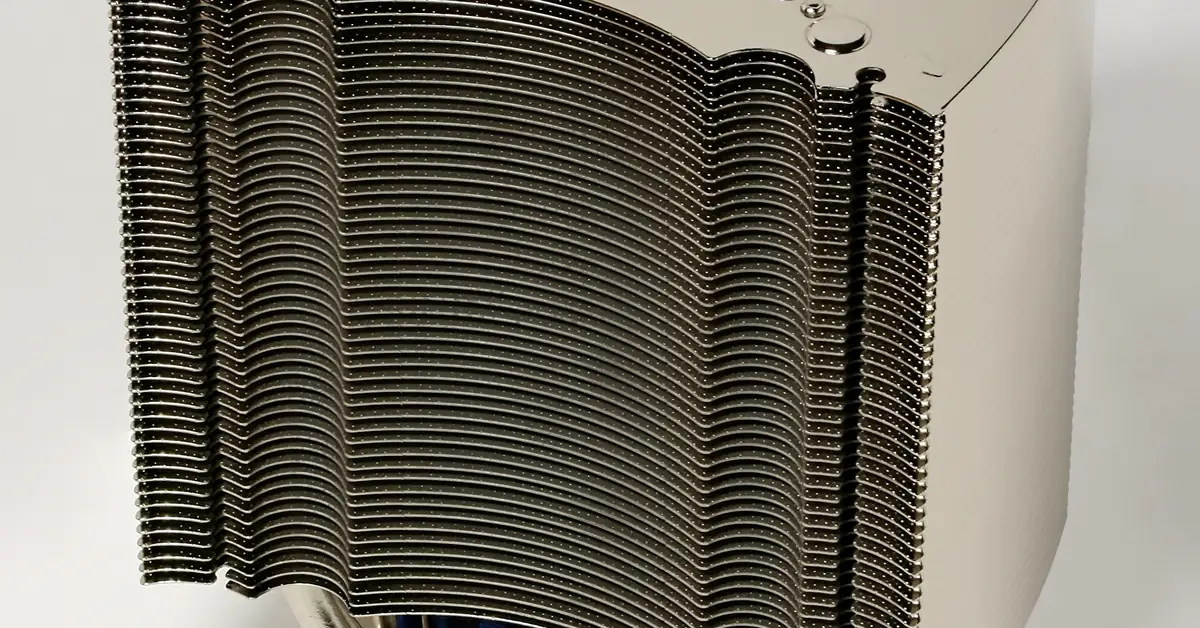
Air cooling uses a metal heatsink pressed against your CPU, with one or more fans moving air across its fins. The most common form is the tower CPU air cooler: a stack of aluminum or copper fins fed by heat pipes, with a fan pushing air through it. Heat travels from the CPU into the metal, and the fan carries that heat away into the case airflow. Our overview of computer cooling systems covers the basics if you want the full picture.
Liquid cooling in most consumer builds means a closed-loop cooler, better known as an AIO liquid cooler (all-in-one). It is a sealed factory-filled system: a pump block sits on the CPU, coolant absorbs heat there, and tubes carry the heated liquid to a radiator, where fans dissipate the heat into the air. You never refill it, and you never open it. (A third option, the custom loop, lets builders assemble their own reservoirs, pumps, and tubing — it is an enthusiast project well beyond the scope of a first build, and this guide sticks to air vs AIO.)
Key Features Compared
- Cooling mechanism. A CPU air cooler moves heat through metal and heat pipes into a fin stack, then fans push that heat out. An AIO liquid cooler moves heat through coolant into a radiator, then radiator fans do the exhausting. Both ultimately dump heat into air — liquid is the transport, not magic.
- Noise sources. A CPU air cooler makes noise only from its fans. An AIO liquid cooler has the same radiator fans plus a pump, which adds a faint hum or occasional gurgle. Because a larger radiator can cool with slower fans, a big AIO can sound calmer under sustained load — but it also has one more noise source than air. More on that below in cooler noise.
- Maintenance. Air coolers need dusting of the fin stack and fans, like everything else in your case. AIO coolers need the same dusting on the radiator, plus you cannot top up the coolant — slow evaporation through the tubing over years is normal and unfixable by the user.
- Lifespan and failure modes. An air cooler’s only moving part is the fan, which is replaceable and cheap. An AIO’s worst-case failure is pump failure: if the pump dies, cooling stops abruptly because nothing circulates the coolant. Fans dying on a tower cooler is a gradual, visible problem; pump failure on an AIO is sudden and harder to notice until the CPU starts throttling.
- Case fit. Air coolers grow upward — tall towers can collide with narrow cases, and wide ones can bump tall RAM. AIO coolers move the bulk to a radiator that mounts on case fan positions (front, top, or rear). You trade tower clearance for radiator space: check your case’s published fan/radiator mount list before buying either.
- Radiator sizes. AIO radiators follow a standard naming scheme tied to fan size: models fitting 120mm fans come in 120, 240, and 360 sizes; those fitting 140mm fans come in 140, 280, and 420 sizes (Checked: 2026-10-06). Mainstream lines span most of this range — for example, ARCTIC’s Liquid Freezer III covers 240, 280, 360, and 420, and NZXT’s Kraken family includes 120, 240, 280, 360, and 420 options depending on the model (Checked: 2026-10-06). Bigger radiator = more surface area = more cooling headroom at lower fan speeds.
- Motherboard and RAM compatibility. Big tower coolers can overhang RAM slots and interfere with tall heatspreaders. AIO pump blocks are compact and rarely block RAM, which is a genuine advantage on crowded motherboards.
- Aesthetics. Air coolers put a large metal tower front and center in your build. AIOs clear the area around the CPU, showing off the motherboard and RAM instead, and many models add RGB on the pump cap or fans. Looks are subjective, but they are a legitimate tiebreaker.
Air Cooling vs AIO Liquid Cooling Comparison
| Feature | CPU Air Cooler (Tower) | AIO Liquid Cooler |
|---|---|---|
| Cooling mechanism | Heat moves through metal and heat pipes into a fin stack, then fans push it out | Heat moves through coolant to a radiator, then radiator fans exhaust it |
| Noise sources | Fans only | Radiator fans plus a pump (faint hum or occasional gurgle) |
| Maintenance | Dust the fin stack and fans | Dust the radiator and fans; coolant cannot be topped up |
| Lifespan and failure mode | Only moving part is the fan, which is cheap and replaceable; failure is gradual and visible | Pump failure is the worst case; cooling stops abruptly and is harder to notice until the CPU throttles |
| Case fit | Grows upward; tall towers can collide with narrow cases or tall RAM | Needs a radiator mount (front, top, or rear); check the case’s radiator support list |
| Radiator sizes | Not applicable | 120, 240, 360 mm (120 mm fans); 140, 280, 420 mm (140 mm fans) |
| RAM and motherboard clearance | Large towers can overhang RAM slots | Compact pump block rarely blocks RAM |
| Aesthetics | Large metal tower is the centerpiece | Clears the socket area; many models add RGB on the pump cap or fans |
| Leak risk | None | Uncommon, but no sealed system is literally leak-proof |
| Cost | Lower for comparable day-to-day cooling | Higher |
| Scalability | Limited by tower size | Scales with radiator size |
| Transport | Heavy tower stresses the motherboard socket | Often preferred for LAN-event PCs |
| Best for | First-time builders, office and home PCs, mid-range CPUs, dusty or hard-to-reach locations | High-heat CPUs under sustained loads, compact cases, clean-looking builds |
How Each Cooling Type Works
How a CPU air cooler works
- Heat from the CPU die transfers into a copper base plate through thermal paste.
- Heat pipes wick that heat upward into a stack of thin metal fins, spreading it over a large surface area.
- A fan (or two) pushes case air through the fin stack, absorbing the heat.
- Warm air exits into the case, where your exhaust fans carry it out of the build.
How an AIO liquid cooler works
- Coolant in the pump block absorbs heat from the CPU through a copper cold plate.
- The pump circulates the warmed coolant through sealed tubes to the radiator.
- Radiator fans push air through the radiator’s fins, transferring heat from the coolant to the air.
- The cooled coolant flows back to the pump block and the cycle repeats.
Use Cases: Who Should Pick Air, Who Should Pick Liquid?
Pick air cooling if: you want maximum simplicity and reliability. First-time builders, office and home PCs, and gaming rigs with mid-range CPUs are natural territory for a tower cooler. If your build lives somewhere dusty or hard to reach — under a desk at work, in a dorm room — the “dust it once in a while and forget it” nature of air is a real feature. Air is also the budget-friendly default: a capable tower cooler costs less than most AIOs, and there is no pump to ever replace.
Pick liquid cooling if: you are cooling a high-heat CPU in sustained workloads (heavy rendering, compiling, long streaming sessions) and your case supports a 240mm radiator or larger. AIOs also make sense in compact builds where a tall tower physically cannot fit, or when you want the cleaner look around the CPU socket — for example, to show off RAM and motherboard aesthetics through a windowed case. Builders who plan to carry a PC to LAN events sometimes prefer AIOs too, since a heavy tower cooler stresses the motherboard socket during transport.
Either works if: your CPU is a mainstream CPU. Honestly, a solid tower cooler and a 240mm AIO will both keep it happy. In that case, decide on budget, noise character, and looks rather than chasing extra cooling capacity you will never use.
Benefits of Each Approach
Benefits of a CPU air cooler
Dead-simple reliability. With only fans as moving parts, there is very little to fail, and the most common failure — a fan — announces itself loudly and costs little to replace. For a machine you need to Just Work, that simplicity has genuine value.
Lower cost for equivalent cooling. At mainstream budgets, tower coolers compete with AIOs one or two sizes up in price while delivering comparable day-to-day performance on mid-range CPUs. The money you save can go toward a better GPU, more storage, or a nicer case — parts that affect your experience more directly.
Zero leak anxiety. There is no liquid in an air cooler, so the “what if it leaks?” question never enters your mind. That peace of mind is worth something, especially for a first build.
Benefits of an AIO liquid cooler
Scales with radiator size. Need more cooling headroom? A larger radiator gives you a bigger thermal budget, and larger radiators can hold target temperatures with slower, quieter fans. That scalability is the AIO’s core strength on high-TDP CPUs.
Frees up the CPU socket area. The compact pump block leaves RAM slots, M.2 slots, and motherboard heatsinks fully accessible and visible. Builds with tall RGB RAM kits or showcase motherboards look noticeably cleaner.
Flexible mounting. Heat goes where the radiator fits, not where the socket is. In small-form-factor cases with no tower clearance, or cases with generous front radiator mounts, an AIO can be the only practical way to cool a hot CPU.
Choosing the Right CPU Cooler
- CPU heat output / TDP class. Match the cooler to your CPU’s thermal class, not its marketing tier. Mainstream 65W chips are comfortable under a mid-size tower; high-end chips with sustained all-core loads benefit from a large tower or a 280mm+ AIO. Check the CPU maker’s published TDP and power guidance — not forum folklore.
- Case clearance. Measure twice. For air, compare the cooler’s published height against your case’s maximum CPU cooler clearance. For liquid, confirm your case lists radiator support in the size you want, at the mount position you want. A 360mm AIO is useless if your case only fits 240mm up top.
- Cooler noise tolerance. Ask what kind of noise bothers you. Air coolers produce only fan whoosh. AIOs add pump hum — some builders find it disappears into background noise, others find it irritating. If silence is the priority, a large slow-spinning setup of either type beats a small one working hard.
- Budget. Decide the cooler’s slice of the total build budget first, then shop within it. Overspending on cooling for a mainstream CPU is one of the most common beginner mistakes; that money almost always buys more happiness in the GPU or SSD.
- Maintenance willingness. If you will not open the case for two years, an air cooler is the safer pick. If you enjoy tinkering and already clean your rig regularly, an AIO’s extra care is no burden.
- Aesthetics. Windowed case? Show build? The AIO’s clean socket area and pump-cap lighting win. Closed case under a desk? Nobody sees the cooler — buy on performance and price.
- Transport. If the PC moves often, a heavy tower hanging off the motherboard is a risk during bumps; either lay the case flat for travel or lean toward an AIO.
Cooler Maintenance Checklist
- Dust heatsink fins (air) or radiator fins (AIO) every 3–6 months — clogged fins are the #1 cause of creeping temperatures for both types.
- Check that all fans still spin freely and listen for new rattles, grinding, or pump gurgling.
- Verify CPU temperatures under a known workload occasionally; a sudden rise can signal a dying fan — or on an AIO, a failing pump.
- For air coolers: confirm the fan mounting clips or screws are still snug after any transport.
- For AIOs: check tube routing for kinks or rubbing against sharp edges, and confirm the radiator is mounted with tubes positioned so air bubbles stay in the radiator, not the pump block.
- When remounting any cooler, clean off old thermal paste and apply fresh paste — our step-by-step installation guide walks through the full process.
Conclusion
Air cooling wins on simplicity, cost, and peace of mind. Liquid cooling wins on scalability, socket-area clearance, and fit in cases where towers cannot go. Match the cooler to your CPU’s heat class, your case’s real dimensions, and how much maintenance you will actually do — and ignore anyone who tells you one side always beats the other.
Still unsure which cooler type fits your build? Read our companion explainer, types of CPU coolers, for the full taxonomy — then come back and decide with confidence.
Frequently Asked Questions
1. Which is better for gaming: air cooling or liquid cooling?
For most gaming PCs with a mainstream CPU, both are fine — gaming loads are bursty rather than sustained, so either cooler type handles them comfortably. Choose based on your case fit, noise preference, and budget rather than assuming liquid is required for gaming.
2. Do liquid coolers leak?
AIO liquid coolers are sealed at the factory and leaks are uncommon in normal use, but no sealed system is literally leak-proof — manufacturing defects and physical damage are the usual culprits when leaks do happen. Reputable brands back their AIOs with multi-year warranties, and keeping tubes unkinked and the radiator mounted sensibly minimizes risk.
3. Which is quieter, air or liquid cooling?
Neither is automatically quieter. A CPU air cooler only produces fan noise, while an AIO liquid cooler adds pump noise on top of its fans — but a larger radiator can run its fans slower, which can make a big AIO quieter under heavy sustained loads than a small tower working hard. For the quietest result regardless of type, buy more cooling capacity than you strictly need and run the fans slow.
4. Is liquid cooling overkill for a mid-range CPU?
Usually, yes. A quality tower air cooler handles a mainstream CPU with headroom to spare, and the price difference buys a meaningful upgrade elsewhere in the build. Liquid makes more sense when the CPU runs hot under sustained workloads or the case cannot fit a proper tower.
5. How long does an AIO liquid cooler last?
Manufacturers typically warranty AIOs for several years, and the practical service life is limited by the pump and by slow coolant evaporation through the tubing — neither is user-serviceable. A tower air cooler, by contrast, lasts as long as its fans do, and replacement fans are cheap. If you keep PCs for a very long time without opening them, air has the longevity edge.
6. Can I use a liquid cooler in a small case?
Often yes — that is one of the AIO’s best use cases. Many compact cases cannot fit a tall tower cooler but do include a 120mm or 240mm radiator mount. Check the case manufacturer’s published radiator support list before buying, since mount positions and thickness clearance vary widely in small cases.
7. Do I need to refill an AIO liquid cooler?
No. Closed-loop AIO coolers are sealed at the factory and are not designed to be opened or refilled by the user. Attempting to open one voids the warranty. If an AIO’s performance degrades significantly after years of service, replacement — not refilling — is the expected path.
