
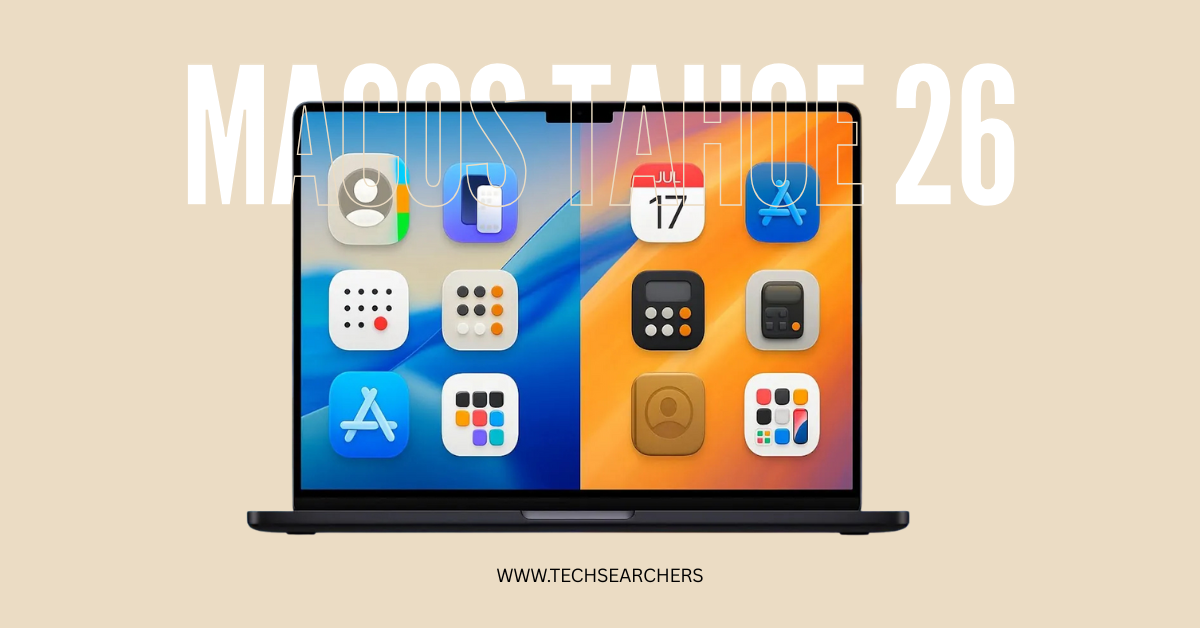
macOS Tahoe 26 marks a revolutionary leap in Apple’s operating system evolution, as the company skips from macOS 18 to 26 to align version numbers across all Apple platforms for the 2025–2026 cycle. *Named “Tahoe” after the Washoe word *“dá’aw,” meaning “lake” or “the lake,” the name reflects clarity, depth, and a new era of fluid design in macOS. Announced by Craig Federighi, Senior Vice President of Software Engineering, at Apple Park in Cupertino, California, during WWDC 2025, this release introduces stunning upgrades like the Liquid Glass interface, advanced Apple Intelligence, and a predictive Phone app connecting all Apple devices. With smarter multitasking, enhanced security, and seamless Apple Silicon optimization, macOS Tahoe 26 stands as the most innovative, intelligent, and visually dynamic macOS release to date.
Key Highlights of macOS Tahoe 26
- Liquid Glass Architecture: The Liquid Glass setting introduces an adaptive, stunning new design to core apps and the menu bar.
- Apple Intelligence Automation: Shortcuts, Messages, and the redesigned Phone app leverage AI for smarter, zero-friction productivity.
- Performance and Security: Enhanced battery life and unification of Apple software updates, security content, and system settings bring a smooth user experience.
- End of Support for Intel Macs: The latest version is optimized for Apple Silicon; many Intel MacBook Pro and iMac models lose support with this operating system.
The 10 Secrets of macOS Tahoe 26
The integration of Apple Intelligence, Liquid Glass, and the new Phone app brings these features to all Apple devices, elevating macOS, iOS, and iPadOS. Here are the top secrets that make this Apple software update essential.
1. Time-Saving Triage – New Phone App Improvements
Call Screening, Hold Assist, and filtering unknown numbers reduce interruptions. Expect improved FaceTime audio quality and better control when you receive calls or limit adult websites for existing child accounts.
Daily Life Benefit:
You stay focused with fewer unwanted calls, enjoy clearer conversations, and maintain safer digital environments for children without constant manual adjustments.
2. Spotlight Interface Evolution
The Spotlight interface now acts as a powerful search and command center, running shortcuts, live activities, and even web content filters directly from your desktop.
Daily Life Benefit:
You can execute complex tasks, surface information, and manage system actions more quickly, reducing the need to switch between multiple apps.
3. Apple Intelligence Automation
Shortcuts powered by Apple Intelligence models allow you to automate tasks like summarizing text, launching new apps, and generating content in Photos, Notes, or even Time Machine backups.
Daily Life Benefit:
Routine digital tasks become significantly faster, allowing you to focus on work, creativity, or communication instead of repetitive manual actions.
4. Live Translation and Communication
Live translation is built into Messages, Phone, and FaceTime, breaking down language barriers on all your Apple devices, including the MacBook Pro and iPhone.
Daily Life Benefit:
You can communicate with people who speak other languages instantly, whether you’re traveling, collaborating, or interacting globally.
5. Translucent Menu Bar and Control Center
The menu bar and Control Center now feature the Liquid Glass design for a default clear look that increases opacity only when needed, unifying the macOS visual language.
Daily Life Benefit:
Your workspace feels more visually cohesive and less distracting, improving focus and easing prolonged usage on high-resolution displays.
6. Advanced Customization Options
System settings now offer new customization options: change folder colors, icon tint, and set up your workspace with pinned collections in the Photos app.
Daily Life Benefit:
Personal organization becomes more intuitive, making it easier to differentiate workspaces, categorize files, and access frequently used photos and projects.
7. Professional Features for Creators
Apple claims creator workflows are streamlined thanks to features like Markdown export, optimized app updates, and improved performance in apps such as Spotlight and Photos.
Daily Life Benefit:
Creative professionals and students alike gain smoother editing, faster content generation, and reduced interruptions during high-intensity projects.
8. Intel Sunset Platform Shift
macOS Tahoe is the last OS to provide limited support for older Intel MacBook Pro and iMac models. Apple Silicon is required for developer beta features, the release candidate, and full compatibility with Apple Intelligence.
Daily Life Benefit:
Users on Apple Silicon experience dramatically improved speed, battery efficiency, and access to the full ecosystem of modern features.
9. Enhanced Gaming and Graphics with Metal 4
The operating system introduces Metal 4, offering frame interpolation and a dedicated Gaming App with Game Overlay, bringing console-level graphics to supported Macs.
Daily Life Benefit:
Games run smoother and look more vivid, providing a higher-quality entertainment experience without requiring external hardware.
10. Spotlight Clipboard History and Security
Spotlight now maintains clipboard history, elevating productivity. Security content and web content filters ensure you can limit adult websites and protect child accounts more effectively.
Daily Life Benefit:
You can retrieve previously copied items instantly while benefiting from enhanced digital safety and easier parental oversight.
Impact on Performance, Design, and Features
With Apple’s Liquid Glass design, macOS Tahoe 26 provides a visually unified experience across all Apple devices. The update includes an improved lock screen, enhancements to the Photos app, and better battery life for MacBook Air and MacBook Pro users.
Metal 4 and Apple Silicon combine for ultra-low-latency processing, vital for Apple Intelligence and image playground features. The update makes daily use of apps like the new phone app and Spotlight dramatically more powerful.
Release and Availability Information
macOS Tahoe 26 officially launched worldwide on September 15, 2026, debuting as version 26.0.1. This major release marks Apple’s continued transition to Apple Silicon, delivering faster performance, advanced AI capabilities, and a more unified macOS ecosystem. However, it discontinues support for most Intel-based Macs released in 2019 or earlier, emphasizing Apple’s focus on modern hardware optimization.
According to Apple’s release notes, users are encouraged to upgrade to a Mac with Apple Silicon to experience full compatibility, enhanced security, and exclusive new features such as Liquid Glass design, Apple Intelligence, and the predictive Phone app that connects seamlessly across all Apple devices.
Conclusion
macOS Tahoe 26 reimagines Apple’s software evolution, setting a new benchmark for performance, intelligence, and design. Featuring the stunning Liquid Glass interface, cutting-edge Apple Intelligence, and a predictive Phone app that unites all Apple devices, it delivers a more connected, intuitive, and visually refined macOS experience. This update empowers users with smarter workflows and seamless integration across the ecosystem. For comprehensive guides, developer beta insights, compatibility resources, and expert macOS tips, explore the future of macOS Tahoe 26 today.
Frequently Asked Questions
1. What is the Liquid Glass design, and how will it affect macOS Tahoe 26?
Liquid Glass introduces a translucent, adaptive interface across the menu bar, Control Center, and system UI. It dynamically adjusts transparency and depth based on background content, improving readability while giving macOS a more fluid, modern visual identity. This design unifies the look of macOS, iOS, and iPadOS and enhances focus during intensive tasks.
2. Is my Intel MacBook Pro compatible with macOS Tahoe 26?
macOS Tahoe 26 offers very limited Intel support, and most of the newest features—including Apple Intelligence, developer betas, and the release candidate—require Apple Silicon. Older Intel MacBook Pro and iMac models can run only a restricted build with no advanced AI capabilities, as Apple transitions fully toward its Silicon architecture.
3. How does Apple Intelligence boost productivity in core apps?
Apple Intelligence integrates across the system to automate high-value tasks. It summarizes text in Notes and Safari, enhances call management with Call Screening and Hold Assist, improves photo organization and content generation, runs automated shortcuts in Spotlight, and enables live translation across communication apps. These features reduce manual effort and increase efficiency across daily workflows.
4. What improvements does the new Phone app bring to the Mac?
The Phone app now includes advanced triage tools such as filtering for unknown numbers, automatic call handling, FaceTime audio enhancements, and expanded parental controls. macOS users gain more consistent communication features across all Apple devices, making call management smoother and less disruptive.
5. How does macOS Tahoe 26 enhance security for everyday users?
Tahoe 26 introduces updated web content filters, improved child-safety controls, enhanced clipboard history protections, and system-level safeguards powered partly by Apple Intelligence. These updates allow users to maintain stricter privacy, manage content access, and protect their data with minimal configuration.
