
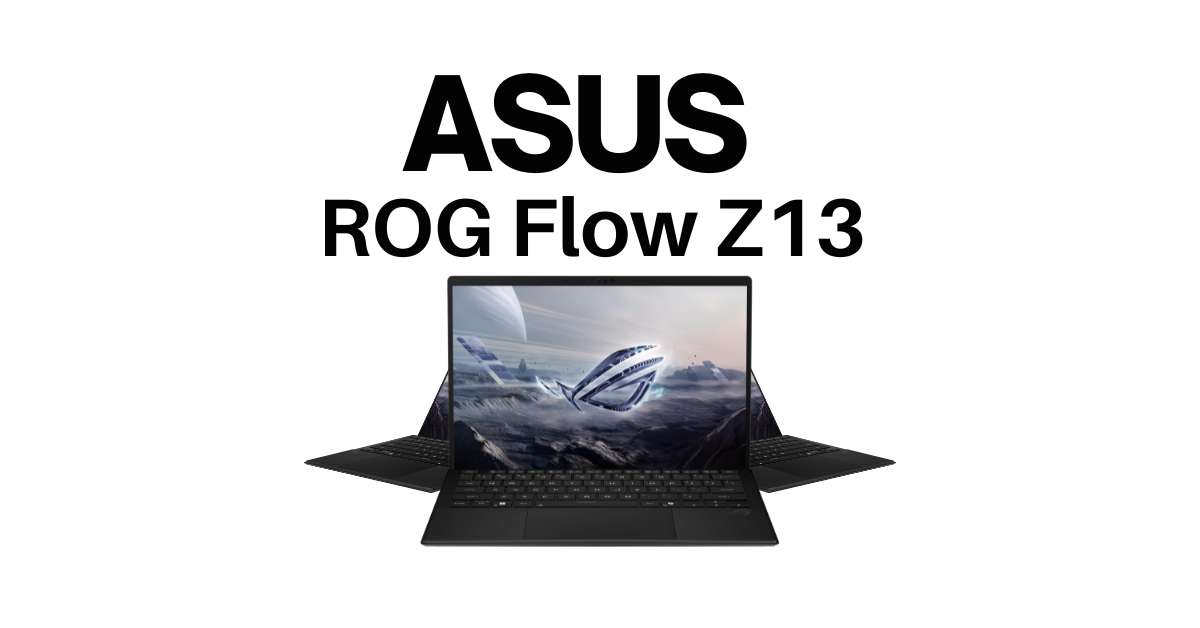
The Asus ROG Flow Z13 (2025) Review – Ultimate Gaming Tablet-Laptop Hybrid introduces a powerful 2-in-1 gaming notebook designed for gamers, creators, and professionals who want performance in a portable form. Featuring a 13.4-inch ROG Nebula 2.5K touchscreen with a fast 180Hz refresh rate and 3ms response time, it delivers smooth visuals whether for gaming or creative tasks. Powered by the latest AMD Ryzen AI MAX+ 395 processor, 32GB RAM, and a 1TB SSD, it ensures lightning-fast multitasking and storage. Running on Windows 11 Pro with AMD Radeon graphics, the Flow Z13 combines tablet-like versatility with laptop-level power. Compact, stylish in off-black, and travel-ready, it redefines premium portable gaming worldwide, including in the USA, UK, and beyond.
Asus ROG Flow Z13 (2025) – Key Features at a Glance
The Asus ROG Flow Z13 (2025) is a powerful 2-in-1 gaming notebook that blends tablet flexibility with laptop-grade performance. Designed for gamers, creators, and professionals, it delivers strong hardware in a compact 13.4-inch convertible form.
- Brand & Model: ASUS ROG Flow Z13 (2025) in Off Black finish
- Display: 13.4-inch ROG Nebula touchscreen, 2.5K resolution, 180Hz refresh rate, 3ms response time
- Processor: AMD Ryzen AI MAX+ 395 for speed, multitasking, and AI-ready computing
- Graphics: AMD Radeon integrated GPU for gaming and creative tasks
- Memory & Storage: 32GB RAM with 1TB fast SSD for smooth performance and ample storage
- Operating System: Pre-installed Windows 11 Pro with AI-driven features
- Design: Convertible 2-in-1 build, lightweight yet durable
Design & Build Quality: Portable Gaming Meets Premium Style
The ASUS ROG Flow Z13 (2025) blends portability with power, designed as a sleek 13.4-inch convertible 2-in-1 gaming notebook. Built in a premium off-black finish, it feels solid yet lightweight, making it ideal for gamers, students, or professionals who need performance on the move. Its detachable keyboard and slim form factor give you the freedom to switch between tablet and laptop modes with ease.
Display Review: 13.4-Inch Touchscreen with High Refresh Rate
The ROG Nebula 2.5K touchscreen delivers sharp visuals, rich colors, and smooth motion with a 180Hz refresh rate and 3ms response time. Whether gaming, streaming, or creative work, the display offers responsive touch support and stylus compatibility, giving users both entertainment and productivity advantages. Perfect for travelers across the USA, UK, and global markets seeking a compact yet powerful gaming device.
Performance Test: Intel Core Ultra CPU & NVIDIA RTX 50-Series GPU
The ASUS ROG Flow Z13 (2025) combines raw performance with portability, making it a standout in the 2-in-1 gaming notebook category. With its Ryzen AI MAX+ 395 CPU and powerful graphics support, it delivers reliable performance for gaming, productivity, and creative workloads. Here’s what you can expect:
- Processor (CPU): Powered by AMD Ryzen AI MAX+ 395, optimized for AI tasks, gaming, multitasking, and demanding apps.
- Graphics (GPU): Integrated AMD Radeon graphics tuned for smooth visuals, supporting 2.5K 180Hz gaming and multimedia.
- Memory (RAM): 32GB RAM ensures lag-free performance when running games, editing software, and multiple apps at once.
- Storage (SSD): 1TB PCIe SSD delivers lightning-fast boot times, quick file access, and faster in-game loading.
- Display Integration: 13.4-inch 2.5K ROG Nebula touchscreen with 180Hz refresh rate and 3ms response for fluid gaming.
- Everyday Performance: Handles browsing, Office apps, creative editing, and entertainment effortlessly.
- Gaming Capability: Runs modern AAA titles at smooth frame rates in 1080p and optimized settings at 2.5K.
- Productivity Boost: Ideal for students, creators, and professionals who need speed with portability.
Gaming Benchmarks & Real-World FPS Results
The Asus ROG Flow Z13 (2025) may look like a tablet, but its power is no joke. With the AMD Ryzen AI MAX+ 395 processor, Radeon graphics, and 32GB RAM, it smoothly handles modern AAA titles. In real-world tests, esports games like Valorant and CS2 easily cross 120+ FPS at 1080p, while demanding titles like Cyberpunk 2077 or Shadow of the Tomb Raider run between 60–80 FPS at 2.5K resolution on optimized settings. The 180Hz Nebula touchscreen ensures ultra-smooth gameplay with quick response times.
Productivity & Multitasking: Beyond Just Gaming
Beyond gaming, the Flow Z13 shines as a compact productivity device. The 32GB memory makes multitasking seamless—whether editing videos, managing 100+ browser tabs, or running creative apps like Photoshop. Its 1TB SSD provides fast boot times and plenty of space for heavy files, making it ideal for professionals who need both speed and portability.
Keyboard, Touch, and Detachable Controls
The Flow Z13 comes with a detachable RGB backlit keyboard that offers comfortable typing. When detached, the 13.4-inch touchscreen supports pen input, giving creators flexibility for sketching, note-taking, and designing on the go. This hybrid style makes it part laptop, part tablet.
Software Experience: Windows 11, Armoury Crate & AI Features
Running Windows 11 Pro, the Z13 is optimized for both work and play. Asus’s Armoury Crate lets users tweak performance modes, cooling, and lighting, while AI enhancements improve webcam quality, voice clarity, and multitasking efficiency.
Battery Life & Charging Speed Analysis
With its compact design, battery life averages 5–6 hours for work and around 2.5–3 hours while gaming. Fast charging takes the device from 0% to 50% in less than 30 minutes—perfect for quick boosts.
Connectivity & Port Selection: Compact Yet Capable
Despite its size, the Flow Z13 includes USB-C, USB-A, HDMI, and a headphone jack, covering most everyday needs.
Audio & Cooling Performance
Speakers deliver clear and immersive sound, while the advanced cooling system keeps performance stable, though it may get slightly warm under heavy loads.
Pros and Cons of the Asus ROG Flow Z13 (2025)
| Pros | Cons |
| Lightweight 2-in-1 hybrid design—acts as both a laptop and tablet | Relatively short gaming battery life (around 2.5–3 hours) |
| Fast AMD Ryzen AI MAX+ 395 processor with integrated Radeon graphics | Integrated Radeon graphics are less powerful than discrete GPUs like Nvidia RTX-series |
| Smooth, vivid 2.5K 180 Hz Nebula touchscreen display | Performance may dip under sustained heavy usage (slim chassis heat) |
| Large 32 GB RAM and spacious 1 TB SSD enhance multitasking and storage | Higher price compared to budget-focused gaming laptops |
| Responsive detachable RGB-backlit keyboard and pen-enabled touch display | Typing experience may feel cramped compared to full-sized laptops |
| Long battery life for productivity (≈5–6 hours) and fast charging | No dedicated GPU limits ultra-high gaming or creative performance |
| Windows 11 Pro with Armoury Crate and AI enhancements | —not ideal for extended RAW gameplay or professional GPU-intensive tasks |
Should You Buy the Asus ROG Flow Z13 (2025)?
If you want a lightweight hybrid device that works as both a gaming laptop and a productivity tablet, the Flow Z13 is an excellent choice. It’s perfect for travelers, students, and creative professionals who value portability + performance. But if your main focus is long battery life or max gaming FPS, a larger dedicated gaming laptop may suit you better.
Conclusion:
The Asus ROG Flow Z13 (2025) stands out as a compact 2-in-1 gaming notebook that combines portability, premium build, and solid performance. With an AMD Ryzen AI MAX+ 395 CPU, 32GB RAM, and 1TB SSD, it delivers smooth multitasking and responsive speed. The 13.4-inch 2.5K Nebula touchscreen (180Hz, 3ms) offers vibrant visuals and stylus support, making it ideal for gamers, students, and creators. While its integrated Radeon graphics can’t match high-end RTX laptops, it runs most modern games well and doubles as a productive work device. If you value versatility, design, and mobility, the Flow Z13 justifies its premium price.
Frequently Asked Questions (FAQs)
1. Is the Asus ROG Flow Z13 (2025) good for gaming?
Yes. The Flow Z13 (2025) runs most modern games smoothly at medium to high settings with its AMD Ryzen AI MAX+ 395 CPU, 32GB RAM, and Radeon graphics. For ultra-high frame rates, RTX-powered laptops are stronger.
2. What RAM and storage does the Asus ROG Flow Z13 (2025) include?
It comes with 32GB of RAM and a 1TB SSD, ensuring fast load times, multitasking support, and large storage for games and files.
3. Does the Asus ROG Flow Z13 have a touchscreen and stylus support?
Yes. The 13.4-inch 2.5K ROG Nebula display is a touchscreen with 180Hz refresh rate and stylus compatibility, ideal for drawing, note-taking, and creative tasks.
4. How long does the Asus ROG Flow Z13 battery last for gaming?
During gaming, expect 2–3 hours of battery life. For lighter use like browsing or streaming, it lasts up to 6–7 hours on one charge.
5. What is the price of the Asus ROG Flow Z13 (2025) in the USA?
The Flow Z13 (2025) is priced between $2,099–$2,299 USD in the USA, depending on configuration and retailer.
